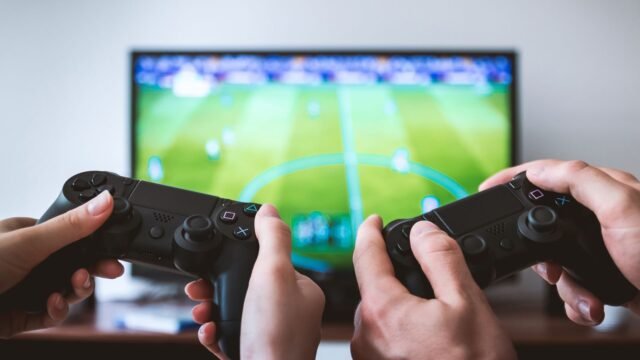

Unblocked sports games are free browser games based on real sports that load instantly with no download, no install and no account. You pick a sport, tap play, and you are in a match within seconds.

Sports games are one of the most popular kinds of unblocked games because the rules are already familiar. If you know how basketball, soccer or golf works in real life, you know what to do in the game. The browser version keeps the core of the sport, the scoring, the shooting and the timing, and drops the rest. That is why a sports game works well in a short session between classes or during a lunch break.
This guide explains what unblocked sports games are, where to play them, which types are worth your time, and how to pick games that are safe and free. It also points to the deeper guides for each sport, so you can go straight to basketball, football, soccer, golf or baseball when you know what you want.
What Are Unblocked Sports Games?
A sports game unblocked is a browser game that recreates a real sport and can be played on a network that blocks many gaming sites. The word unblocked does not mean the game is special software. It means the game is hosted on a site that your school or workplace network has not blocked, and the game runs in the browser with HTML5, so nothing needs to be installed.
Most of these games share the same shape. A match lasts a few minutes. The controls are simple, usually arrow keys or WASD to move, and one or two keys to shoot, pass or jump. The first round teaches the controls, and the difficulty rises from there. Many sports games are single-player against the computer, while others let two people share one keyboard or play against another person online.
The sports category on CrazyGames lists browser sports games that run without a download, and Poki hosts a large free sports collection in the browser too. Both are legitimate game platforms, and both let you play without creating an account. That matters, because a site that asks you to download a file or create an account before you can play is not the kind of site this guide recommends.
How Unblocked Sports Games Work in a Browser
Browser sports games run on HTML5, the same technology that powers most modern web pages. When you open a game page, the game files load in your browser and the game starts. There is no installer, no launcher and no extra program.
This has a few practical effects. First, the game works on a Chromebook, a Windows laptop and a Mac, as long as the browser is up to date. Second, your progress is usually saved in the browser, if it is saved at all, so switching devices starts you over. Third, the game needs a steady internet connection while it loads, but most sports games are small and load in seconds on a normal connection.
Controls are the biggest difference from a console sports game. A browser sports game uses a keyboard and mouse, or touch controls on a phone. The controls are shown on the game page before you start, and most games let you pause and check them again. If a game never shows its controls, or the controls do not work, close it and pick another one. There are plenty of working sports games, and a broken one is not worth your time.
The Main Types of Unblocked Sports Games
Sports games split into a few clear groups. Team sports come first, because they are the most searched and the most played. Then come individual sports, where the challenge is timing and precision rather than teamwork. Then come the lighter sports, the ones that work as quick arcade games rather than full matches.
Team sports
Team sports games copy the scoring of the real sport. In basketball games you shoot hoops and defend the other team. In soccer games you pass, shoot and try to score more goals than the other side. In American football games you run plays, pass and score touchdowns. The browser versions shorten the match, often to a few minutes, and simplify the rules so a new player can score in the first game.
Basketball is the most common team sport in the unblocked games world. Games like Basketball Stars, from Miniclip, focus on one-on-one play, dribbling, faking and shooting. Other basketball games, such as Basket Random, use simple physics and funny characters, and the fun comes from the chaos rather than realism. Both styles count as basketball games, and both are free in the browser.
Soccer games follow the same pattern. Soccer Random is a well-known browser soccer game where two players, or one player against the computer, control wobbly characters and try to score. Penalty Shooters 2 takes a narrower slice of the sport, the penalty shootout, and turns it into a short game of aiming and guessing. If you want the full picture, our guide to soccer games unblocked covers the best soccer titles in more depth.
Individual sports
Individual sports games are about one skill repeated well. Golf games are about judging distance, wind and power. Pool games are about angles and gentle touches. Bowling games are about timing a straight roll. These games are quieter than team sports, and they suit players who like to improve a score a little at a time rather than win a match.
Golf is a good example. A mini golf game gives you a course, a ball and a limited number of shots, and the challenge is to finish under par. A full golf game adds clubs, wind and longer holes. Our guide to unblocked mini golf games explains both styles and names the titles that are free in the browser.
Pool games work the same way. 8 Ball Pool is the best-known browser pool game, and its rules follow real eight-ball pool: pot your balls, then the eight ball, without fouling. Unblocked pool games are a smaller group than basketball or soccer, but the ones that exist are polished, because pool suits a mouse and a browser very well.
Arcade and physics sports
Arcade sports games take a real sport and make it silly on purpose. The characters are wobbly, the ball bounces in strange ways, and the match is short. Basket Random and Soccer Random are the clearest examples. They are not trying to be realistic, and that is the point. They are easy to learn, hard to master, and good for two players sharing one keyboard.
Retro Bowl sits between arcade and simulation. It is an American football game with simple retro graphics, where you manage a team, call plays and throw passes. It has more depth than a one-minute arcade game, but it still plays in short sessions. If you like football, start with our guide to football games unblocked for the full list.
Basketball, Football, Soccer, Golf and Baseball
Each of the five main sports in this hub has its own guide, because each one has enough games and enough search interest to deserve its own page. The short summaries below tell you what each guide covers. Follow the link when you know your sport.
Basketball games unblocked
Basketball is the biggest sport in the unblocked games world. The guide covers one-on-one games like Basketball Stars, arcade games like Basket Random, and shooting games where you race the clock. It also explains the controls, which are usually arrow keys to move and a single key to shoot or block. Read our guide to basketball games unblocked for the full list.
Football games unblocked
Football here means American football, the sport with touchdowns, quarterbacks and field goals. The guide covers Retro Bowl, Football Bros and other browser football games, and explains the difference between arcade football and games that try to follow real rules. Read our guide to football games unblocked for the full list.
Soccer games unblocked
Soccer is the most played sport in the world, and its browser games reflect that. The guide covers Soccer Random, Penalty Shooters 2, Head Soccer and other free soccer games, and explains which ones work best with two players. Read our guide to soccer games unblocked for the full list.

Golf and mini golf games unblocked
Golf games are slower and more precise than the team sports. The guide covers mini golf, where the fun is in tricky courses, and full golf games, where wind and club choice matter. It also explains why golf suits a mouse better than a keyboard. Read our guide to unblocked mini golf games for the full list.
Baseball games unblocked
Baseball games focus on batting, pitching and timing. The guide covers home run games, where you swing at pitches and try to clear the fence, and fuller baseball games with innings and fielding. Baseball suits short sessions well, because a single at-bat takes seconds. Read our guide to baseball games unblocked for the full list.
You can also browse the wider set of genres in our hub of unblocked games by genre, which links every sports guide and every other genre on this site.
Bowling Games Unblocked Games
Bowling is the easiest keyword in this group to rank for, and it deserves its own heading because the game is so simple to explain. A bowling game unblocked is a browser bowling game where you aim, set power, and roll the ball down the lane. The best bowling games show the pins clearly, let you adjust your angle, and give you ten frames like real bowling.
Most browser bowling games are single-player, and a full game takes about five minutes. The skill is timing: release the ball at the right moment and with the right spin, and you get a strike. Release it late or with too much power, and the ball goes in the gutter. There is no opponent to beat, only your own score, which makes bowling a calm choice when you want a game without pressure.
Bowling games appear on the big free game platforms, including CrazyGames and Poki, in their sports sections. Look for a bowling game that loads fast, shows the controls on the first screen, and does not ask you to sign in. If the game asks for a download, close it and pick another one.
Unblocked Games Pong, Pool and Other Table Sports
Table sports are a small but steady part of the sports category. Pong is the oldest of them, a simple game where two paddles hit a ball back and forth, and unblocked versions of Pong still exist in the browser. They are short, easy to learn, and good for two players sharing a keyboard. Pool games are the more popular table sport today, because 8 Ball Pool is polished and free, and its rules are the same as real pool.
Volleyball games unblocked are another small group. They usually work like a side view game where two players, or one player and the computer, hit the ball over a net. The controls are simple, jump and hit, and the matches are short. Volleyball games are less common than basketball or soccer games, but they are easy to find in the sports category of the big platforms.
Hockey games, including ice hockey unblocked games, follow the same pattern as soccer, with a puck instead of a ball. The best-known browser hockey games are simple, fast and short.

Where to Play Sports Games Unblocked
The safest way to play sports games unblocked is to use a well-known free game platform. CrazyGames and Poki are the two largest, and both are free, run in the browser, and do not ask for a download. Miniclip is a third option, and it is the home of Basketball Stars. All three platforms sort their games by category, so you can open the sports section and browse without searching.
When you open a game platform, check three things before you play. First, the game should load on the page, with no download button in the way. Second, the game page should show the controls. Third, the site should not ask you to create an account or enter personal details. A legitimate free game platform does not need your email address to let you play a basketball game.
School networks block many gaming sites, and which sites are open changes from school to school. If a platform is blocked on your network, try another well-known platform rather than a random site that promises unblocked games. Random sites are more likely to show heavy ads, ask for downloads, or link to games that are not what they claim. Stick to the platforms named in this guide.
Are Unblocked Sports Games Safe?
Sports games are among the safest browser games, because they have no chat, no real money and no personal details. Most sports games are single-player or local two-player, so there is no stranger to talk to and nothing to buy. The main risk is the site around the game, not the game itself.
Ads are the most common problem. Free game platforms show ads, and some ads are loud or hard to close. If an ad covers the game or asks you to download something, close the ad or the tab. Never download a file that a game site offers you. A browser game does not need a download, and a file from a game site is the most common way a safe session turns into a problem.
Age ratings are worth a quick check too. The ESRB rates games in North America and PEGI rates them in Europe, and both explain what is in a game. Sports games are usually rated for everyone, because they contain no violence or strong language. Common Sense Media also reviews games and apps for parents, and its reviews explain whether a game has ads, purchases or chat. If you are a parent or a teacher, those three sources are the fastest way to check a game before you allow it.
How to Pick a Good Sports Game
A good sports game shows its quality in the first minute. The game loads fast, the controls are on the screen, and the first match starts without a long introduction. If a game takes more than a minute to load, or it shows a long video before you can play, close it. There are faster games.
Look for games with a clear goal. In basketball, the goal is to score more points than the other team. In golf, it is to finish under par. In pool, it is to pot your balls. A game with a clear goal is easy to learn and easy to enjoy.
Two-player support is worth checking if you play with a friend. Many sports games support two players on one keyboard, with one player on WASD and the other on the arrow keys. The game page usually says whether two-player mode exists.

Sports Games on Chromebook and at School
Chromebooks are the most common device for playing unblocked sports games, because they are the device most schools hand out. Browser sports games work well on a Chromebook, because they need no install and they run in Chrome. The keyboard controls work the same way, and the games are small enough to load on a school network.
If a game does not load on your Chromebook, try three things. First, refresh the page. Second, try a different game on the same platform. The problem is usually the game or the network, not the Chromebook, and a different game on the same site often works.
Free Sports Games Worth Trying First
If you are new to sports games, start with these types. Each one is free, loads in the browser, and teaches its controls in the first minute.
Basketball Stars is the best first basketball game, because it is polished, one-on-one, and easy to learn. Basket Random is the best first arcade sports game, because it is funny and works with two players. Soccer Random is the best first soccer game, for the same reason. Penalty Shooters 2 is the best first penalty game, because a shootout takes two minutes. Retro Bowl is the best first football game, because it has more depth than the arcade games but still plays in short sessions. 8 Ball Pool is the best first pool game, because its rules are the same as real pool and its controls suit a mouse.
Try one game from each sport before you settle on a favourite. The sports are different enough that a player who does not like basketball may love golf, and a player who does not like soccer may love pool.

Watch: Sports Games in Action
Watching a game before you play it is a fast way to learn the controls and see whether you will like it.
The first video shows Basketball Stars gameplay, and the second counts down the best Mario sports games, which cover golf, tennis, soccer, baseball and basketball.
Frequently Asked Questions
What are the best sports games unblocked?
Basketball Stars, Basket Random, Soccer Random, Penalty Shooters 2, Retro Bowl and 8 Ball Pool are the most popular free sports games in the browser. They are all free, load without a download, and work on a Chromebook. Start with one that matches your favourite real sport.
Are unblocked sports games free?
Yes. The sports games in this guide are free on CrazyGames, Poki and Miniclip. A game that asks you to pay before you can play is not a free browser game, and you should close it and pick another one.
Can I play sports games unblocked on a Chromebook?
Yes. Browser sports games run on HTML5, so they work in Chrome on a Chromebook with no install. The controls are keyboard and mouse, or touch on a touchscreen Chromebook.
Do sports games unblocked need a download?
No. A real browser sports game loads on the game page and starts in seconds. Never download a file from a game site. If a site asks you to download something, close it.
What is the best unblocked basketball game?
Basketball Stars is the most polished browser basketball game, with one-on-one play and simple controls. Basket Random is the best arcade alternative, and it supports two players on one keyboard.
Are sports games safe for kids?
Most sports games are safe for kids, because they have no chat, no real money and no personal details. Check the ESRB or PEGI rating, and Common Sense Media, if you want a second opinion before a child plays.
Can two people play sports games unblocked together?
Yes. Many sports games, including Basket Random, Soccer Random and Penalty Shooters 2, support two players on one keyboard. One player uses WASD and the other uses the arrow keys. The game page usually says whether two-player mode exists.
Why is a sports game blocked at my school?
Schools block gaming sites to keep students focused during lessons, and the list of blocked sites changes from school to school. If a site is blocked, try another well-known platform rather than a random site, and play games during free time when your school allows it.
Sources
9
- CrazyGames, Sports Games: https://www.crazygames.com/t/sports
- Poki, Free Online Games: https://www.poki.com
- Miniclip, Free Games: https://www.miniclip.com
- CrazyGames, 1v1.LOL: https://www.crazygames.com/game/1v1-lol
- Krunker.io: https://krunker.io
- Wikipedia, Browser game: https://en.wikipedia.org/wiki/Browser_game
- ESRB, Ratings Guide: https://www.esrb.org
- PEGI, Age Ratings: https://www.pegi.info
- Common Sense Media: https://www.commonsensemedia.org