
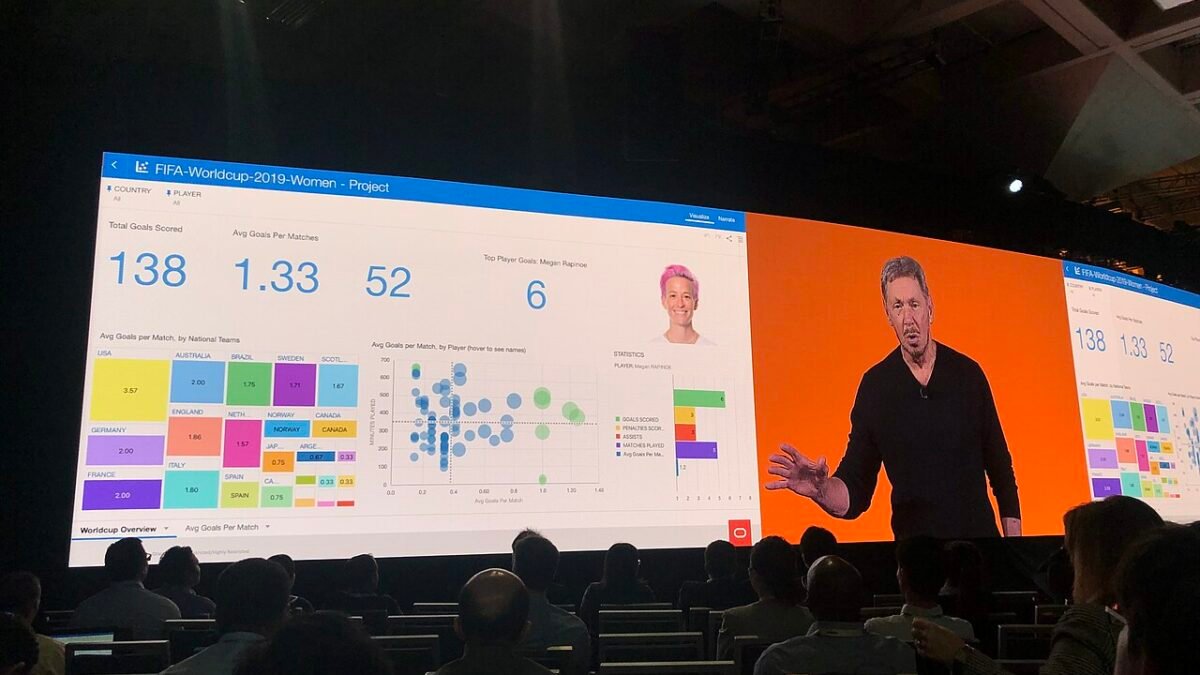
AI data analysis tools are software products that use artificial intelligence to turn raw data into answers. They clean messy spreadsheets, write and run analysis code, build charts, spot patterns, and explain findings in plain language, so a person without a data science background can still get useful results.
This guide compares the best options by job, from quick file analysis in a chatbot to governed business intelligence on a data warehouse, and covers free tools, visualisation, and data privacy. It sits under our guide to the best AI tools for business, which covers the wider business toolkit.

What Are AI Data Analysis Tools?
An AI data analysis tool is any product that applies AI to one or more steps of analysis: collecting data, cleaning it, exploring it, modelling it, visualising it, or explaining the result. The simplest tools are chatbots that analyse an uploaded file. The most complete are business intelligence platforms with AI agents that answer questions against governed company data.
The category has grown quickly because the bottleneck changed. A few years ago, the hard part was writing the code. Now the hard part is asking the right question and trusting the answer. AI tools for data analysis handle the code, so the person can focus on the question, the checks, and the decision.
It helps to separate three kinds of product. Chat-based analysts, such as ChatGPT, Claude, and Julius AI, work on files a person uploads and return tables, charts, and summaries. AI notebooks, such as Deepnote and DataLab, combine chat with Python, SQL, and connected data sources in one workspace. Business intelligence tools, such as Power BI Copilot, Tableau, and ThoughtSpot, answer questions against data the company already governs. The right kind depends on where the data lives and who needs the answer.
How AI Data Analysis Tools Work
Most AI data analysis tools follow the same pattern, even when the interface looks different.
First, the data arrives. A person uploads a CSV or Excel file, connects a database such as Snowflake, BigQuery, or Postgres, or points the tool at a dashboard that already exists. Some tools also generate SQL from a plain-English question, so the user never writes a query.
Second, the AI explores. It profiles the data, finds missing values and duplicates, suggests cleaning steps, and proposes charts. ChatGPT writes and runs real Python code against uploaded files, so the code is there to inspect. Claude runs Python in a sandbox and returns finished files, such as spreadsheets, decks, and memos.
Third, the tool visualises. It turns the result into bar charts, line charts, tables, or a dashboard, and explains what changed and why. AI-powered data visualisation tools differ in how much they let the user control the chart; the best ones show the underlying numbers alongside the picture.
Fourth, the person checks. AI analysis can be wrong in quiet ways: a misread column, a wrong join, a chart that hides the outlier. The strongest habit in this category is to verify the numbers before acting on them, and the best tools make that easy by showing their code and their sources.
The Best AI Data Analysis Tools Compared
| Tool | Best for | Starting price (checked 23 Nov 2026) | Free plan |
|---|---|---|---|
| ChatGPT | Quick file analysis | Free; Go $8/month, Plus $20/month | Yes |
| Claude | Finished reports and files | Free; Pro $20/month | Yes |
| Gemini | Google Sheets and BigQuery | Free; paid plans available | Yes |
| Deepnote | Collaborative AI notebooks | Paid plans, free tier available | Limited |
| DataLab | Conversational notebooks | Paid plans, free tier available | Limited |
| Julius AI | No-code data questions | From $20/month | Yes |
| Power BI Copilot | Microsoft reporting | From $14/month | Power BI Desktop free |
| Tableau | Executive dashboards and Pulse digests | From $15/month | No |
| ThoughtSpot | Search-style answers | From $25/month | No |
| Zoho Analytics | Small and mid-market teams | From $24/month | Yes |
| Polymer | Quick dashboards from spreadsheets | From $25/month | Yes |
| KNIME | Open-source analytics workflows | Free | Yes |
Prices are starting prices, not quotes, and they move often. ChatGPT Go at $8 per month is the cheapest plan with the full data analysis feature, according to a November 2026 roundup. Check the vendor page before committing to a budget line.

ChatGPT, Claude, and Gemini: The Fastest Starting Point
For most people, the best AI tool for data analysis is the chatbot they already use, because the fastest analysis is the one that starts with a file upload, not a new platform.
ChatGPT is the easiest on-ramp. A person uploads a CSV or Excel file and asks it to clean the data, explore trends, find outliers, run Python calculations, create tables and charts, and summarise the findings in plain English. It summarises the file, builds charts, and writes and runs Python in a notebook environment, so the code is visible. The newer ChatGPT Work experience goes further: give it files and a final goal, and it produces a report, spreadsheet, presentation, or site.
Claude earns its place when the analysis must leave the chat as a real file. With code execution and file creation turned on, Claude runs Python in an isolated sandbox, makes charts, and builds spreadsheets, decks, documents, and PDFs. Claude for Excel, on Pro and higher plans, edits pivot tables and conditional formatting in place. In November 2026, Claude Data, the new name for Claude Dashboards, became generally available, adding live data views to the same workflow.
Gemini suits teams already in Google Workspace and BigQuery. In Google Sheets, Gemini creates formulas, pivot tables, and charts, and through Connected Sheets it can discuss a full BigQuery dataset using read-only queries. If the data already lives with Google, Gemini is the shortest path to an answer.
AI Data Visualisation Tools
AI data visualisation tools turn numbers into pictures a person can read at a glance. The best ones do more than draw a chart: they choose the chart type, label it clearly, and explain what the picture shows.
Power BI Copilot generates DAX measures and report summaries from natural-language prompts, and it questions existing reports rather than requiring a new build. Tableau adds AI metric digests through Tableau Pulse, which pushes personalised insights to Slack, email, and mobile, so executives can monitor KPIs without opening a dashboard. ThoughtSpot offers search-style answers with SpotIQ, which identifies patterns, anomalies, and trends in the data.
For smaller teams, Zoho Analytics turns natural-language questions into instant charts with Ask Zia, at no extra cost on its plans. Polymer auto-labels data and builds dashboards from spreadsheets with no setup, which suits marketing teams that need a quick view. Google Looker Studio is free and connects to Google Sheets and Google Analytics, making it the cheapest way to build an interactive dashboard.
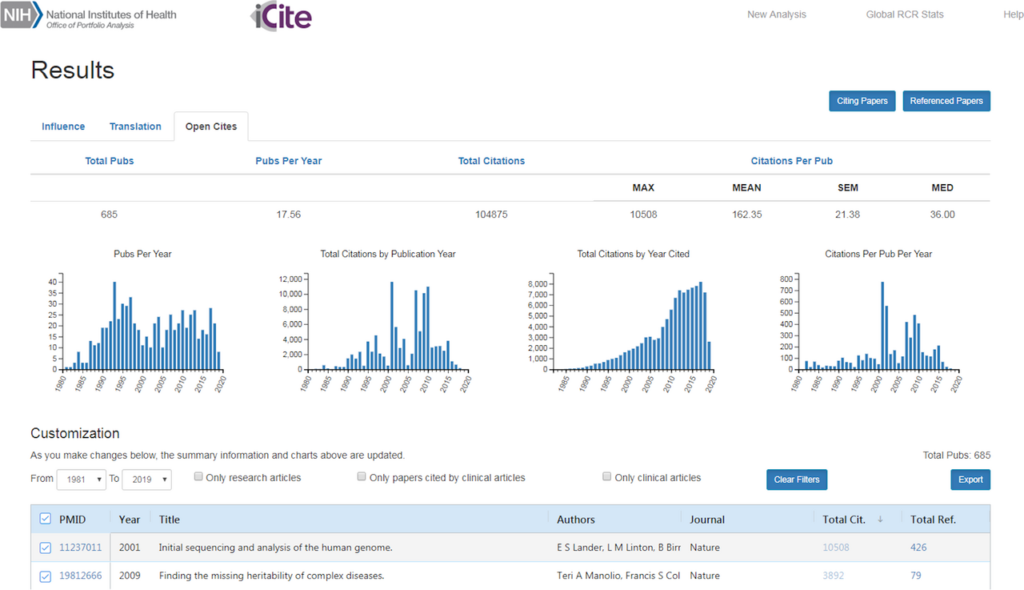
When choosing a visualisation tool, check two things: whether the AI shows its working, and whether the chart can be edited after the AI draws it. A chart that cannot be fixed is a chart that will be wrong in public.
AI Business Intelligence Tools
AI business intelligence tools answer questions against governed company data, with access controls, definitions, and audit trails. They are the right choice when the data is sensitive, the team is large, or the same metric must mean the same thing in every department.
Microsoft Power BI Copilot is the default for organisations already invested in Microsoft’s ecosystem, because it works on data modelled in Power BI and Microsoft Fabric. Tableau Agent does the same for Tableau shops, examining business data and creating visual reports. ThoughtSpot suits large enterprises with a dedicated data team, building dashboards and explaining root causes automatically.
On the data platform side, Databricks AI/BI Genie covers lakehouse data, Snowflake Cortex runs governed agents on Snowflake, and Dataiku pairs visual Flows with machine learning and agents. Dataiku’s Cobuild feature, generally available since June 2026, lets a person describe a goal in natural language and builds the pipelines, models, agents, and apps as a visual Flow to review and approve.
The dividing line is governance. A chatbot analysis is fast and flexible but runs on a copy of the data. A BI tool is slower to set up but answers against the real data with the company’s own access rules. For regulated or shared data, the BI route is the right one.
AI Tools for Data Analysts and Data Science
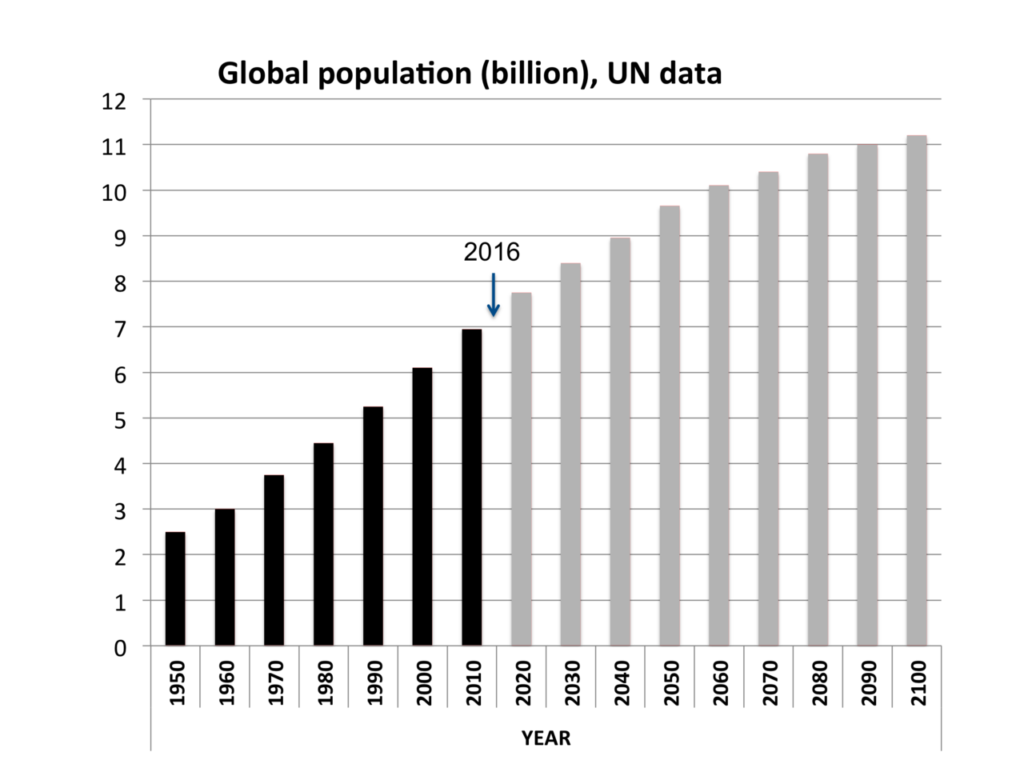
Data analysts and data scientists use a different set of AI tools than business users, because they need code they can inspect, rerun, and keep.
Deepnote is an AI-powered data workspace built around collaborative notebooks. Its Deepnote Agent understands project context, creates a plan, and adds, edits, or removes Python, SQL, and text blocks across the notebook to complete multi-step analysis tasks. It also supports custom OpenAI-compatible models for Enterprise workspaces and a Model Context Protocol connection for other tools.
DataLab by DataCamp is an AI-powered data notebook with a chat assistant built into the workspace. A person attaches a data source, explains the goal in plain English, and the AI generates Python, R, or SQL code, analyses the results, and explains the findings. It feels approachable for people learning data analysis, and the generated work stays visible so it can be inspected, edited, and rerun.
Claude Code is not a traditional data analysis platform, but it is surprisingly useful for data science tasks and report generation. A dataset goes in the project folder, and Claude Code inspects the data, writes Python scripts, runs the analysis, fixes errors, generates visualisations, and produces a final report. In one published example, it created a complete analysis script, ran it, checked the results, and generated a 146-line Markdown report. The same workflow works with Codex in VS Code, where the analyst keeps notebooks, scripts, CSV files, and reports in one project and asks Codex to inspect context, edit files, run the analysis, and debug.
Julius AI is a conversational, browser-based data analyst for non-technical users. It connects directly to live databases such as Snowflake, BigQuery, and Postgres, and returns answers from a plain-English question. Plans start at $20 per month.
KNIME is an open-source analytics platform with AI extensions for machine learning, chatbots, and deep learning, supported by a large library of community-built templates. It suits analysts who want visual workflows without writing code for every step.

Free AI Tools for Data Analysis
Free AI tools for data analysis cover a lot of ground. ChatGPT’s free plan includes limited data analysis, Claude’s free plan covers drafting and file analysis, and Gemini’s free tier works inside Google Sheets. Microsoft Power BI Desktop is free and transforms raw business data into interactive dashboards. Google Looker Studio is free and connects to Google Sheets and Google Analytics. Julius AI offers a free tier, and KNIME is fully open source.
The free tiers have real limits: file sizes, usage caps, and fewer connected sources. A beginner learning analysis can go far on free tools. A team analysing live business data will usually need a paid plan for the database connections and the history.
Data Privacy and Integrity
Two questions matter more than any feature list: can you upload data into AI tools safely, and how do AI tools ensure data integrity?
On uploading data: yes, most AI tools accept file uploads, and many connect to live databases. The risk is what happens to the data afterwards. Some tools store uploads, some use them for training, and some delete them after a period. Before uploading customer data, check the tool’s privacy terms, confirm whether data is used for training, and prefer a plan with clear retention rules. A practical rule is to practise with made-up data and only use real customer data once the terms are understood. The video below follows exactly this habit, using a fictional company dataset and checking every number in Excel.
On integrity: AI tools ensure data integrity by showing their work. The trustworthy ones display the code they ran, the queries they used, and the rows they counted, so a person can verify the result. The untrustworthy ones give an answer with no trail. When a tool cannot show how it reached a number, treat the number as a draft, not a fact. Always check the code, the calculations, and the final conclusions, especially before the result reaches a client or a board.
For sensitive work, prefer tools that run inside the company’s own environment or offer clear data residency and deletion terms. The NIST AI Risk Management Framework is a useful neutral reference for thinking about AI risk, including data handling and accountability.
Go Deeper: AI Productivity Tools
The categories below each have their own guide on this site. Each summary links to the full guide.
Best AI Productivity Tools
Our guide to the best AI productivity tools covers the wider set of tools that help a team get more done: writing, notes, tasks, and automation. It is the right next read when data analysis is one part of a larger productivity question.
AI Customer Service and Chatbot Tools
Our guide to AI customer service tools covers chatbots and support automation that turn customer conversations into data. It suits teams that want the data from support chats to feed back into analysis.
AI Project and Knowledge Management Tools
Our guide to AI project management tools covers planning, tracking, and knowledge bases. It is the right next read when analysis results need to become tasks, owners, and deadlines.
AI Meeting Note and Transcription Tools
Our guide to AI transcription tools covers meeting recorders that turn calls into searchable notes. It suits teams that want decisions and numbers from meetings captured automatically.
How to Choose the Right AI Data Analysis Tool
Start with the data, not the tool. If the work is a single spreadsheet and a quick question, ChatGPT or Claude is enough. If the work is a repeatable analysis in a team, Deepnote or DataLab fits better. If the work is governed business reporting, Power BI Copilot or Tableau is the right choice.
Next, check the connections. Does the tool read the databases and files the team already uses, or does it need a copy? A live connection is better than a weekly export, because exports go stale and create two versions of the truth.
Then check the verification story. Can the tool show its code, its queries, and its sources? Can the result be rerun next month and produce the same answer? Tools that support repeatable, checkable analysis are worth more than tools that give a fast answer with no trail.
Finally, run three checks on the tool before committing: upload a messy file and see how it handles duplicates and blanks; ask a question with a known answer and see whether it gets it right; and ask it to explain a metric change and see whether the explanation holds up. A tool that passes all three is worth paying for.
Watch: Data Analysis With Claude Code for Beginners
The video below gives Claude Code a messy spreadsheet and six prompts, then checks every number it gives back in Excel. It shows where the AI is exactly right and the three spots where a human still has to make the call, which is the habit this guide recommends.
Video: “Data Analysis With Claude Code for Beginners | Checked in Excel” by Dataguy, about 10 minutes. Checked live 23 November 2026. The video uses a fictional company dataset and records the run on 21 November 2026.
Frequently Asked Questions
What are AI tools for data analysis?
AI tools for data analysis are software products that use artificial intelligence to clean, explore, model, visualise, and explain data. They range from chatbots that analyse an uploaded file to business intelligence platforms that answer questions against governed company data.
What is the best AI tool for data analysis?
It depends on the job. ChatGPT is best for quick file analysis, Claude is best for finished reports and files, Deepnote and DataLab are best for AI notebooks, Julius AI is best for non-coders, and Power BI Copilot or Tableau are best for governed business reporting.
Are there free AI tools for data analysis?
Yes. ChatGPT, Claude, and Gemini offer free tiers, Power BI Desktop and Google Looker Studio are free, Julius AI has a free tier, and KNIME is open source. Free plans usually cap file sizes, usage, and connected sources.
Can you upload data into AI tools?
Yes. Most tools accept CSV and Excel uploads, and many connect to live databases such as Snowflake, BigQuery, and Postgres. Before uploading customer data, check the tool’s privacy terms, whether data is used for training, and how long it is kept.
How do AI tools ensure data integrity?
The trustworthy ones show their work: the code they ran, the queries they used, and the rows they counted. That trail lets a person verify the result. Tools that give an answer with no trail should be treated as drafts, not facts.
What is the best AI data visualisation tool?
Power BI Copilot is best for Microsoft teams, Tableau is best for executive dashboards, ThoughtSpot is best for search-style answers, and Zoho Analytics is best for small teams that want natural-language charts. Looker Studio is the best free option.
Do AI data analysis tools replace data analysts?
No. They remove repetitive work such as cleaning, charting, and first-pass summaries. Asking the right question, checking the numbers, and deciding what the result means still need an analyst. The tools make one analyst faster; they do not remove the analyst.
What is the difference between AI analytics tools and business intelligence tools?
AI analytics tools work on files or connected sources and return answers quickly, often in a chat. Business intelligence tools answer against governed company data with access controls, shared definitions, and audit trails. The BI route is slower to set up but safer for shared or sensitive data.
Sources
8
- KDnuggets, “5 Best AI Tools for Data Analysis You Should Try in 2026”: https://www.kdnuggets.com/5-best-ai-tools-for-data-analysis-you-should-try-in-2026
- Analytics Insight, “12 Best AI Tools for Data Analysis in 2026, by Use Case”: https://www.analyticsinsight.net/artificial-intelligence/best-ai-tools-for-data-analysis-2026
- Userpilot, “Too Many AI Analytics Tools? My 10 Picks for Data-Driven Insights”: https://userpilot.com/blog/ai-analytics-tools/
- Jotform, “8 best automated data analysis tools in 2026”: https://www.jotform.com/ai/automated-data-analysis-tools/
- AI Magazine, “Top 10: AI Tools for Data Analysis”: https://aimagazine.com/articles/top-10-ai-tools-for-data-analysis
- Microsoft Learn, “Microsoft Power BI Copilot introduction”: https://learn.microsoft.com/en-us/power-bi/create-reports/copilot-introduction
- NIST, “AI Risk Management Framework”: https://www.nist.gov/itl/ai-risk-management-framework
- OECD, “OECD.AI Policy Observatory”: https://oecd.ai/en/