


The best free AI tools are ChatGPT, Google Gemini, Claude, Microsoft Copilot, Perplexity and DeepSeek for chat and research, Grammarly and QuillBot for writing, Canva and Adobe Firefly for images, CapCut and ElevenLabs for video and voice, and GitHub Copilot for coding. Every tool on this list has a free plan you can keep using. For the wider picture, see the best ai tools.
| Tool | What it does | Free-plan limit | Best for |
|---|---|---|---|
| ChatGPT | Drafts emails and posts, summarises documents and explains difficult topics | Unlimited everyday text chats, with separate limits on uploads, image creation, voice and deep research | Everyday writing and general chatbot use |
| Google Gemini | Google AI assistant for Gmail, Docs, Drive and YouTube | Lightest model only since 9 October 2026, with usage refreshing every five hours up to a weekly cap | Google users |
| Claude | Natural writing and handling long documents | Web search, file uploads, memory and up to 5 projects, with usage resetting every five hours and weekly | Natural writing and long documents |
| Microsoft Copilot | Answers questions with links to sources, rewrites text and creates images | Free with or without a Microsoft account; signing in adds history, image creation and voice | Windows and Edge users |
| Perplexity | Answer engine that reads web sources and writes a short answer with numbered citations | Basic searches practically unlimited; 3 Pro searches a day and 1 Research report a month | Sourced answers |
| DeepSeek | Free chatbot for reasoning on maths, logic and programming | Web chat and mobile apps are free, with no paid consumer plan; only the developer API is paid | Maths, logic and programming reasoning |
| Meta AI | Assistant built into WhatsApp, Instagram, Facebook and Messenger, with its own website and app | Free for everyday use with a Meta account, with a usage limit on heavier features | Everyday use inside Meta apps |
| NotebookLM (Gemini Notebook) | AI research notebook for studying your own material, answering using only those sources with citations | 100 notebooks with 50 sources per notebook | Studying your own notes and documents |
| Grammarly | Checks writing as you type, catching grammar, spelling and punctuation mistakes | Basic correction, tone detection and 100 generative AI prompts a month | Catching grammar, spelling and punctuation mistakes |
| QuillBot | Paraphraser that rewrites a sentence or paragraph, with a grammar checker, summariser and citation generator | Paraphrasing up to 125 words at a time in 2 modes; summaries up to 1,200 words | Rewriting and paraphrasing |
| Canva | Easy online design tool; AI generates images and helps lay out posts, thumbnails and flyers | 1.6 million-plus templates and 5 GB of storage, plus a limited monthly AI allowance (exact number no longer published) | Design, social posts and flyers |
| Adobe Firefly | AI image tools; create images from text, or fill and remove parts of a photo | Limited daily generations on a free Adobe account | Creating and editing images |
| CapCut | Video editor for phones, computers and the web; AI adds captions, removes backgrounds and cuts silences | Full core editor with 1080p export and auto-captions, with monthly caps on AI features | Video editing |
| ElevenLabs | Turns written text into natural-sounding speech in many voices and languages | 10,000 credits a month, about 10 minutes of audio, with attribution required and no commercial licence | Voiceovers, audiobooks and podcasts |
| Otter.ai | Records and transcribes meetings, lectures and interviews in real time, then creates a summary with action items | 300 transcription minutes a month, with a 30-minute cap per conversation | Meeting and lecture transcription |
| GitHub Copilot | Suggests code as you type and lets you chat about your code to explain, fix or write it | 2,000 code completions and 50 chat requests a month | Coding assistance |
| Gamma | Creates a full presentation from a short prompt or outline, writing slides, picking a layout and adding images | 400 credits at sign-up, enough for roughly 8 to 10 short decks, and they do not refresh | Presentations |
| Zapier | Connects thousands of apps so work moves between them automatically | 100 tasks a month with two-step workflows only | Automating work between apps |
| Hugging Face | Largest community hub for open AI models; Spaces hosts thousands of free demos to try in your browser | Free account covers public and private repositories and free demos; running your own code demos mostly needs PRO at $9 a month | Trying free AI model demos |
What “Free” Really Means
A free AI tool usually means a freemium plan. The core features cost nothing, but messages, images, credits or minutes are capped, and the best models sit behind a paid plan. A free trial is different: it ends after a set number of days, so this list only includes tools with a permanent free plan.
Free plans also change often. Google cut the free Gemini plan down to its lightest model in October 2026, and Canva stopped publishing an exact number for its free AI allowance. Treat every limit below as checked on 23 Nov 2026.
There is one more cost to check before you sign up: your data. Some free plans use your conversations to improve their models unless you switch that off. The US Federal Trade Commission has warned AI companies that they must honour their privacy promises, including not using customer data to train models. Never paste passwords or confidential files into a free AI tool.
Free AI Chatbots and Assistants
A chatbot is the most useful free AI tool for most people, because one tool covers writing, questions, planning and learning. Start with one, and add a second only when you hit a limit.

ChatGPT
ChatGPT by OpenAI drafts emails and posts, summarises documents and explains difficult topics. Free plan: unlimited everyday text chats, with separate limits on uploads, image creation, voice and deep research; Plus costs $20 a month.
Google Gemini
Gemini is Google’s AI assistant, and the natural pick for Gmail, Docs, Drive and YouTube users. Free plan: since 9 October 2026 free users only get the lightest model, with usage refreshing every five hours up to a weekly cap; Google AI Plus costs $4.99 a month.
Claude
Claude by Anthropic is known for natural writing and handling long documents. Free plan: web search, file uploads, memory and up to 5 projects, with usage resetting every five hours and weekly; Pro costs $20 a month, or $17 a month billed annually.
Microsoft Copilot
Microsoft Copilot is already on most Windows PCs and in Edge, and it answers questions with links to sources, rewrites text and creates images. Free plan: free with or without a Microsoft account; signing in adds history, image creation and voice. Copilot in Word and Excel is a separate paid product.
Perplexity
Perplexity is an answer engine rather than a chatbot. It reads sources from across the web and writes a short answer with numbered citations. Free plan: basic searches are practically unlimited, with 3 Pro searches a day and 1 Research report a month; Pro costs $20 a month.
DeepSeek
DeepSeek is a Chinese AI company whose free chatbot is popular for reasoning on maths, logic and programming. Free plan: web chat and mobile apps are free, with no paid consumer plan; only the developer API is paid. It is operated from China and stores data there, so avoid sharing personal information.
Meta AI
Meta AI is the assistant built into WhatsApp, Instagram, Facebook and Messenger, with its own website and app too. Free plan: free for everyday use with a Meta account, with a usage limit on heavier features; Meta One, from $7.99 a month, raises those limits.
Free AI Tools for Research and Study
NotebookLM (Gemini Notebook)
NotebookLM, now called Gemini Notebook, is Google’s AI research notebook for studying your own material. Add PDFs, Docs, websites or YouTube videos, and it answers using only those sources, with citations back to the exact passage. Free plan: 100 notebooks with 50 sources per notebook; higher limits start at $4.99 a month.
Free AI Writing Tools

Grammarly
Grammarly checks your writing as you type in your browser, email and documents, catching grammar, spelling and punctuation mistakes. Free plan: basic correction, tone detection and 100 generative AI prompts a month; Pro costs $12 a member a month billed annually.
QuillBot
QuillBot is built around a paraphraser that rewrites a sentence or paragraph in different ways, with a free grammar checker, summariser and citation generator too. Free plan: paraphrasing up to 125 words at a time in 2 modes and summaries up to 1,200 words; Premium costs about $8.33 a month billed annually.
Free AI Image and Design Tools

Canva
Canva is an easy online design tool with thousands of templates. Its AI features generate images from a description and help lay out posts, thumbnails and flyers. Free plan: 1.6 million-plus templates and 5 GB of storage, plus a limited monthly AI allowance; Canva no longer publishes the exact number, and background removal needs a paid plan. Pro costs about $12 a month billed annually.
Adobe Firefly
Adobe Firefly is Adobe’s family of AI image tools. Create images from text, or fill and remove parts of a photo. Adobe says its Firefly models were trained on licensed content and public domain material. Free plan: limited daily generations on a free Adobe account; Standard costs $9.99 a month and adds 2,000 monthly credits.
Free AI Video and Voice Tools
CapCut
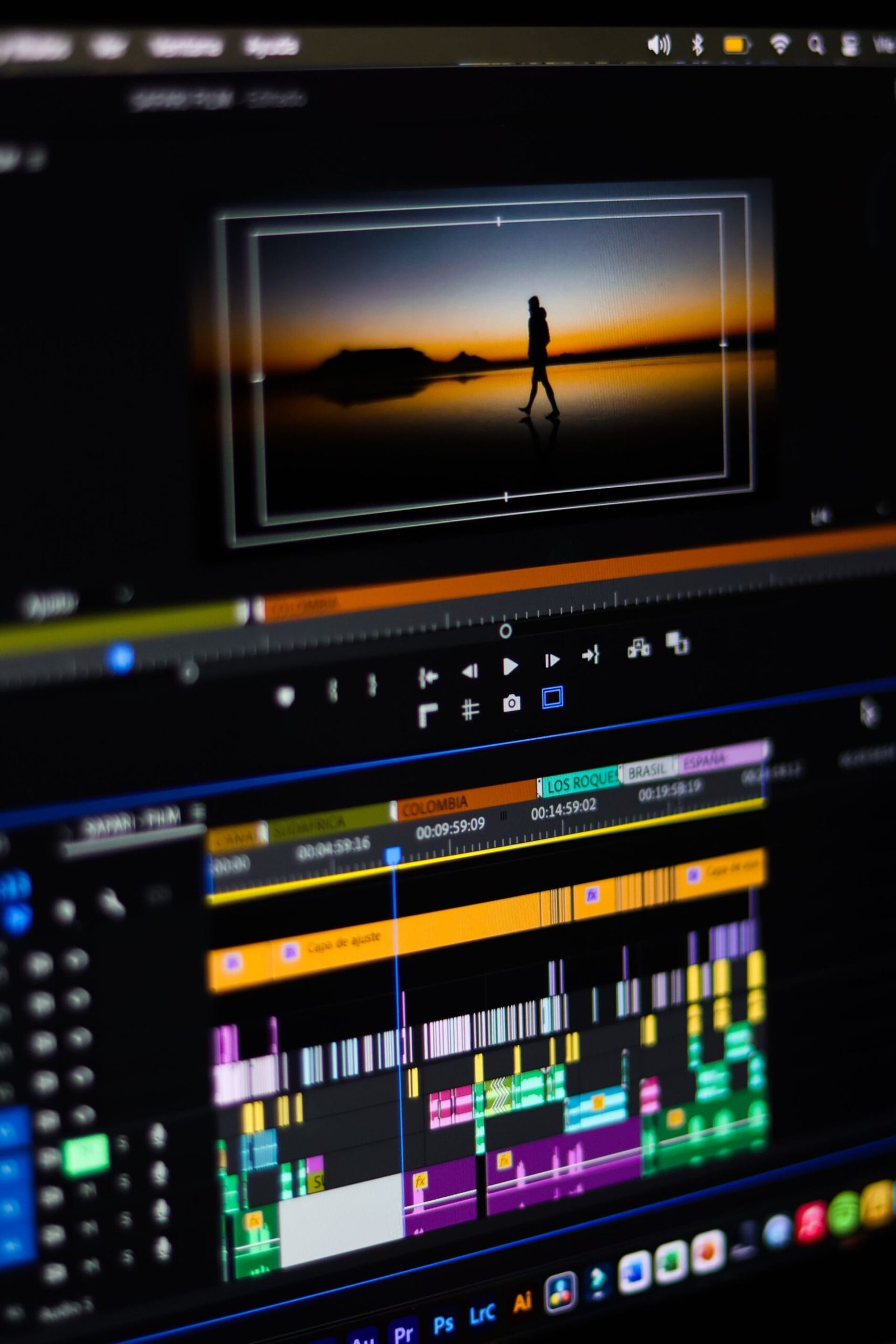
CapCut is a video editor for phones, computers and the web. Its AI features add captions, remove backgrounds and cut silences. Free plan: the full core editor with 1080p export and auto-captions, with monthly caps on AI features; a watermark appears only on Pro-marked templates. Paid plans start at $9.99 a month.
ElevenLabs
ElevenLabs turns written text into very natural-sounding speech in many voices and languages, for voiceovers, audiobooks and podcasts. Free plan: 10,000 credits a month, about 10 minutes of audio, with attribution required and no commercial licence; Starter costs $6 a month.
Otter.ai
Otter.ai records and transcribes meetings, lectures and interviews in real time, then creates a summary with action items. Free plan: 300 transcription minutes a month, with a 30-minute cap per conversation; Pro costs $8.33 a user a month billed annually.
Free AI Tools for Coding and Productivity

GitHub Copilot
GitHub Copilot suggests code as you type in editors such as Visual Studio Code, and lets you chat about your code to explain, fix or write it. Free plan: 2,000 code completions and 50 chat requests a month; Pro costs $10 a month and adds unlimited completions. Review AI-written code carefully before you use it.
Gamma
Gamma creates a full presentation from a short prompt or an outline. It writes the slides, picks a layout and adds images, then exports to PowerPoint or PDF. Free plan: 400 credits at sign-up, enough for roughly 8 to 10 short decks, and they do not refresh.
Zapier
Zapier connects thousands of apps so work moves between them automatically, such as adding a form entry to a spreadsheet and sending an email. Free plan: 100 tasks a month with two-step workflows only; Professional starts at $19.99 a month billed annually.
Hugging Face
Hugging Face is the largest community hub for open AI models. Its Spaces section hosts thousands of free demos for images, audio, translation and text, to try directly in your browser. Free plan: a free account covers public and private repositories and free demos; running your own code demos mostly needs PRO at $9 a month.
Free vs Paid AI Tools
Free plans are enough for everyday use, learning and small projects. Paid plans buy higher limits, better models and locked features such as commercial licences, 4K export or priority access.
Pay when a free limit stops real work, not before. If you hit the same cap every week, the cheapest paid step is usually $5 to $20 a month: Google AI Plus at $4.99, ElevenLabs Starter at $6, QuillBot Premium at about $8.33 a month, GitHub Copilot Pro at $10, or ChatGPT Plus and Claude Pro at $20. If you only hit a limit once a month, wait for the reset.
How to Pick the Right Free AI Tool
If you are just starting out, pick one chatbot and learn it well. ChatGPT is the simplest first tool, Gemini fits Google users, and Copilot is already on Windows. Add Perplexity for sourced answers, and NotebookLM for your own documents.
If you run a nonprofit, check for discounted plans before you settle for free limits. Perplexity lists a reduced rate for nonprofits, and several tools offer education or nonprofit pricing.
If you use WordPress, free AI tools still help, but they sit outside your site. Use a chatbot to draft posts, Grammarly to clean them up and Canva to make featured images, then paste the finished work into WordPress.
If you want to earn money with free AI tools, start with work people already pay for. A free chatbot drafts, Canva designs, CapCut edits and Otter transcribes. Check the licence first, because some free plans, such as ElevenLabs Free, do not allow commercial use. No tool guarantees income.
Staying Safe With Free AI Tools
Free AI tools are safe to use when you treat them as helpers, not authorities. AI can sound confident and still be wrong, so check important facts about health, money or law against trusted sources. Always open the cited source for anything that matters.
Keep private information out of free tools. Do not paste passwords, ID numbers or financial details into any chatbot. Check each tool’s settings for whether your chats can be used to improve its models, and switch that off if you would rather they were not. The NIST AI Risk Management Framework makes the same point: know what data a system collects and what could go wrong.
Finally, label AI-made images and video clearly when you publish them, and do not pass AI-generated work off as your own. Schools and employers have their own rules on AI use.
Related Reading
- AI tools list — our full directory of AI tools.
- New and trending AI tools — the newest AI tools worth watching.
For the full background, see our guide to ai tools.
Frequently Asked Questions
What is the best free AI tool?
For most people, a general chatbot such as ChatGPT, Gemini, Claude or Copilot is the best choice. For specific jobs, use a specialist: NotebookLM for studying, Canva for design, CapCut for video or Otter.ai for meeting notes.
Are free AI tools really free?
Yes. Every tool on this list has a free plan you can use without paying, and most need no credit card to start. Free almost always means limited: fewer messages, images, credits or minutes per day or month. A free trial is different, because it expires.
Which AI tool is free with no paid plan at all?
DeepSeek. Its web chat and mobile apps are free, and there is no Plus or Pro tier to buy. Only the developer API is paid.
Can I use free AI tools for my business?
Often yes, but check each tool’s terms first. Some free plans do not allow commercial use, add watermarks or require attribution. ElevenLabs Free, for example, has no commercial licence.
Are free AI tools safe?
Tools from well-known companies are generally safe, but free plans may use your conversations to improve their AI unless you opt out. Do not share passwords, ID numbers or financial details, and check AI answers against trusted sources.
What are the best free AI tools for students?
NotebookLM for studying your own notes, ChatGPT or Claude for explanations, Perplexity for research with citations, QuillBot and Grammarly for writing, and Gamma for presentations. Follow your school’s rules on AI use.
Watch: Free AI Tools Explained
1. “7 FREE AI Tools for Beginners in 2026 (You Can Start Today!)” — Techinform-24
About 5 minutes. Covers seven of the tools in this list and what each free plan does not do. Checked live on 23 Nov 2026.
2. “12 Free AI Tools That Replace Expensive Apps (2026)” — What If Lab
About 10 minutes. Walks through 12 free tools and the catch in each free plan. Checked live on 23 Nov 2026.
Sources
24
- US Federal Trade Commission, “AI Companies: Uphold Your Privacy and Confidentiality Commitments” (9 Jan 2024): https://www.ftc.gov/policy/advocacy-research/tech-at-ftc/2024/01/ai-companies-uphold-your-privacy-confidentiality-commitments
- National Institute of Standards and Technology, “AI Risk Management Framework” (AI RMF 1.0, 26 Jan 2023): https://www.nist.gov/itl/ai-risk-management-framework
- Zapier, “The 20+ best free AI tools”: https://zapier.com/blog/free-ai-tools/
- eWeek, “24 Free AI Tools That Deliver Real Results in 2026” (10 Apr 2026): https://www.eweek.com/news/24-best-free-ai-tools-2026/
- GrowthPi, “Free AI Tools: 30 Best Free AI Tools List (2026)” (updated 19 Nov 2026): https://growthpi.io/free-ai-tools
- OpenAI, ChatGPT: https://chatgpt.com
- Google, Gemini: https://gemini.google.com
- Anthropic, “Plans & pricing” (Claude): https://claude.com/pricing
- Microsoft, Copilot: https://copilot.microsoft.com
- Perplexity: https://www.perplexity.ai
- DeepSeek: https://chat.deepseek.com
- Meta, Meta AI: https://www.meta.ai
- Google, NotebookLM: https://notebooklm.google.com
- Grammarly: https://www.grammarly.com
- QuillBot: https://quillbot.com
- Canva: https://www.canva.com
- Adobe, Firefly: https://firefly.adobe.com
- CapCut: https://www.capcut.com
- ElevenLabs: https://elevenlabs.io
- Otter.ai: https://otter.ai
- Gamma: https://gamma.app
- Zapier, “Plans & Pricing”: https://zapier.com/pricing
- GitHub: https://github.com
- Hugging Face: https://huggingface.co
Free-plan limits and prices were checked on 23 Nov 2026 and can change at any time; confirm the current details on each tool’s own site before you rely on them.