
To delete any account, sign in to the service, open its settings or account page, choose the delete or close option, and confirm. The exact menu path is different on every service, so this guide gives you the verified steps for the biggest accounts first, then links to a step-by-step guide for almost any other account you want to close.

Most accounts are deleted in one of two places: the app settings on your phone or the account settings page in a browser. Deleting is usually permanent, and several services give you only a short window to change your mind, so use the checklist below first.
Before You Delete Any Account
Work through this short checklist before you delete anything. It takes a few minutes and it prevents the two most common regrets: losing photos or files, and losing access to another service that used the account to sign in.
- Download your data. Most big services let you export your photos, messages, contacts, and files. Google Takeout covers Gmail, Photos, and Drive in one export, Meta has an export tool in Accounts Centre, and Apple lets you request a copy of your data from its Data and Privacy page.
- Cancel subscriptions first. If the account pays for a subscription, cancel it before deleting. Deleting the account does not always stop the billing. Our guide to how to cancel any subscription walks through the process service by service.
- Move anything tied to the account. Check whether the account is your sign-in for other apps, your recovery email for another account, or the login for a work tool. Change those logins first, and save any files stored only in that account, such as documents in Google Drive or photos in iCloud.
- Check the recovery window. Some services let you undo a deletion for 30 days. Others give you no second chance at all. The table near the end of this guide lists the window for each major service.

How to Delete a Google Account
Deleting your Google Account removes Gmail, Google Drive files, Google Photos, your YouTube channel, and Google Play purchases tied to it. It does not delete other Google Accounts you own.
- Go to your Google Account at myaccount.google.com and sign in.
- Select Data & privacy in the left-hand menu.
- Scroll to Your data & privacy options.
- Select More options, then Delete your Google Account.
- Follow the instructions on screen, tick the two confirmation boxes, and select Delete Account.
Google says you can delete your Google Account at any time, and that if you change your mind you might be able to recover it within a certain amount of time. Google states no fixed number of days, so treat the window as short. For the full detail, see our guide on how to delete your Google account.
Delete Gmail without deleting Google
You can remove Gmail from your Google Account and keep the rest of Google. The path is: open your Google Account, select Data & privacy, scroll to Data from apps and services you use, select Delete a Google Service, then select Delete next to Gmail. You need a different email address attached to the account to sign in with afterwards. Our guides cover how to delete your Gmail account and how to delete a Gmail email account in full.
Delete a Google account on a phone
On a phone, the path is the same, reached through the Google app or Gmail app: tap your profile picture, tap Manage your Google Account, open Data & privacy, and scroll to Delete your Google Account. See our guide on how to delete a Google account on a phone for the phone screens.
Remove an account from Chrome
Removing a Google Account from Chrome only signs you out of the browser on that device. It does not delete the account. Go to Chrome settings, open the profile section, and remove the profile you no longer want. Our guide explains how to remove an account from Google Chrome.
How to Delete an Apple Account
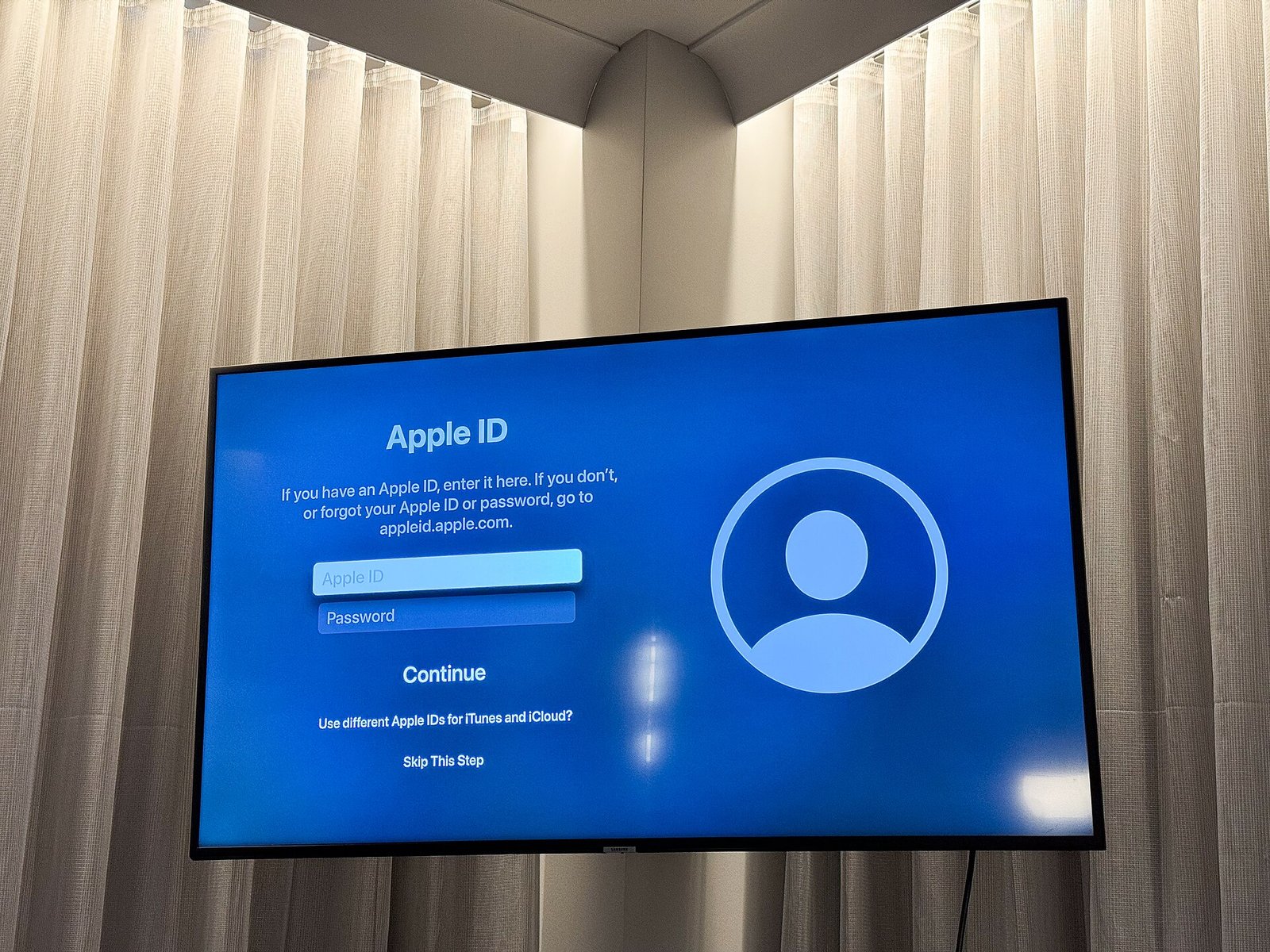
Apple calls it an Apple Account now, and you cannot delete it from the Settings app on your iPhone. Deletion runs through Apple’s Data and Privacy portal in a browser.
- Sign out of the Apple Account on every device you own, including iPhone, iPad, Mac, and Apple Watch.
- Go to privacy.apple.com in a browser and sign in with the Apple Account you want to delete.
- Under Delete your account, select Request to delete your account.
- Choose a reason from the menu and select Continue.
- Read the summary of what will be deleted, agree to the terms, and continue.
- Choose a contact email address that is not the one you are deleting.
- Write down the access code Apple shows you. You need it if you contact Apple Support about the request.
- Select Delete account.
Apple verifies the request, which can take up to seven days, and the account stays active until then. If you change your mind, contact Apple Support with your access code and they can stop the deletion. Deleting removes purchases, iCloud data, and subscriptions, so back up your photos and files first. Our full guides cover how to delete your Apple account and how to delete your iCloud account.
How to Delete Facebook
Facebook deletion runs through Meta Accounts Centre, and Facebook gives you 30 days to change your mind. Deleting also ends Messenger, so if you only want a break, deactivate instead.
- Open Facebook and click your profile picture at the top right.
- Select Settings and privacy, then Settings.
- Click Accounts Centre (on newer layouts this is called Meta Account).
- Click Personal details, then Account ownership and control.
- Click Deactivation or deletion.
- Choose the profile you want to delete, select Delete account, and click Continue.
- Follow the instructions to confirm, including entering your password.
If it has been less than 30 days since you started the deletion, you can cancel it by logging in and clicking Cancel deletion. After 30 days the account is permanently deleted. Removing everything you posted can take up to 90 days, and during that time it is not visible to other people. Download your photos and posts first from Accounts Centre under Your information and permissions. Our guides cover how to delete your Facebook account and how to delete a Facebook account permanently from mobile.
How to Delete Instagram
Instagram is also owned by Meta, so the path is similar to Facebook, and the grace period is the same 30 days. Deleting your Instagram account also deletes a Threads profile created with the same account.
- Open the Instagram app and go to your profile.
- Tap the menu icon at the top right.
- Tap Accounts Centre (or Meta Account on newer layouts).
- Tap Manage accounts, then tap Manage next to the Instagram account.
- Tap Deactivation or deletion.
- Select Delete account and tap Continue.
- Enter your password, choose a reason, and confirm.
Your profile is hidden as soon as you confirm, and it is permanently deleted after 30 days. Logging back in before then cancels the request. Export your photos and posts first from Accounts Centre under Your information and permissions. See our full guide on how to delete your Instagram account.
How to Delete WhatsApp
WhatsApp is the strictest of the big messaging apps: deleting your account cannot be reversed. There is no grace period, so back up your chats first if you want to keep them.
- Open WhatsApp on your phone.
- Go to Settings, then Account.
- Tap Delete my account.
- Enter your phone number in full international format.
- Tap Delete my account again to confirm.
Deleting removes your account, erases your message history, removes you from all groups, and deletes your Google Drive backup. If you only want a break, uninstall the app instead: deleting is final.
How to Delete TikTok
TikTok gives you two choices on the same screen: deactivate, which pauses the account, or delete, which starts a 30-day countdown.
- Open TikTok and tap your profile icon at the bottom right.
- Tap the menu icon at the top right, then Settings and privacy.
- Tap Account, then Deactivate or delete account.
- Select Delete account permanently.
- Follow the prompts to confirm, and enter your password if asked.
TikTok disables your account straight away, but you can log back in within 30 days to reactivate it. After 30 days the account is permanently deleted and cannot be recovered. Download your videos first from Settings and privacy, then Account, then Download your data. Our full guide covers how to delete your TikTok account.
How to Delete a Microsoft Account
Closing a Microsoft Account affects Outlook, OneDrive, Xbox, Skype, and Microsoft 365. Microsoft lets you choose the length of the grace period yourself.
- Go to Microsoft’s Close account page from the Microsoft Support article on closing your account, and sign in.
- Verify your identity if Microsoft asks.
- Confirm the account shown is the one you want to close.
- Read the list of what you will lose and tick every acknowledgement box.
- Choose the re-open window: 30 days or 60 days.
- Pick a reason from the Select a reason drop-down list.
- Select Mark account for closure.
Your account is marked for closure at once, not deleted at once. Microsoft waits the chosen number of days before permanently deleting it. To reopen it, sign in at account.microsoft.com within the window and enter the security code. After the window ends, the account cannot be retrieved. If you removed your sign-in verification details recently, Microsoft may make you wait before you can close the account. Our full guide covers how to delete your Microsoft account.

How to Delete an Email Account
Email accounts are deleted in different places depending on the provider, and deleting the email address is not always the same as deleting the whole account.
- Gmail: deleting Gmail alone removes the inbox but keeps the Google Account. See how to delete your Gmail account and how to delete a Gmail email account.
- Yahoo Mail: Yahoo deletes the mailbox and the Yahoo account together, including Flickr and Yahoo Finance data tied to it. See how to delete your Yahoo email account and how to delete your Yahoo account.
- Outlook and Hotmail: these are Microsoft Accounts, so closing one follows the Microsoft steps above. See how to delete your Microsoft account.
- Mail on iPhone: removing an email account from the iPhone Mail app only removes it from the phone. It does not delete the account with the provider. Go to Settings, then Apps, then Mail, then Mail Accounts, and delete the account there. See how to delete an email account on iPhone.
- Any email account: the general steps are the same on every provider: sign in on the web, open account settings, find the delete or close option, and confirm. See how to delete an email account.
How to Delete an Account on a Laptop
Deleting an account on a laptop works the same way as on a phone, and for most services a laptop browser is the easiest place to do it. In short, how to delete account access on a laptop comes down to three moves: sign in in the browser, open the account settings, and confirm the deletion. Sign in to the service in your browser, open the account or settings page, and follow the delete path for that service. On a laptop you can also download your data export first and save it straight to a folder. If the service only offers deletion inside its mobile app, use the app instead: WhatsApp and TikTok, for example, are deleted from the phone app, not from a laptop browser.
Deletion vs Deactivation: Which One Do You Want?
Deletion and deactivation sound similar, but they do very different things. Pick the wrong one and you either lose data you wanted to keep, or keep an account you wanted gone. Deactivate when you want a break or you might return. Delete only when you are sure you will not need the account, its content, or its username again.

| Deactivation | Deletion | |
|---|---|---|
| Profile visible? | No | No |
| Data kept? | Yes, everything stays | No, it is removed after the grace period |
| Can you come back? | Yes, by logging in | Only inside the recovery window |
| Subscriptions | Usually keep running | Cancel them first either way |
Recovery Windows After Deletion
A recovery window is the time you have to change your mind after you ask for a deletion. The table below lists only windows stated on the official help page for each service.
| Service | Recovery window | How to cancel |
|---|---|---|
| Google Account | Short window, no fixed number stated | Use Google’s account recovery page as soon as possible |
| Apple Account | Up to 7 days while Apple verifies the request | Contact Apple Support with your access code |
| 30 days | Log in and click Cancel deletion | |
| 30 days | Log back in before the 30 days end | |
| TikTok | 30 days | Log back in to reactivate |
| Microsoft Account | 30 or 60 days, your choice | Sign in at account.microsoft.com and enter the security code |
| None, deletion cannot be reversed | Not possible |
Sources: Google Account Help, Apple Data and Privacy, Meta Help Center, TikTok Support, and Microsoft Support.
More Account Deletion Guides
Each service below has its own step-by-step guide.
Social media accounts
- How to delete your Twitter account: closing an X account, including the deactivation step.
- How to delete your Reddit account: deleting a Reddit account and what happens to your posts.
- How to delete your Telegram account: Telegram deletion, which cannot be undone.
- How to delete your YouTube account: removing a YouTube channel, and how it differs from deleting the Google Account behind it.
- How to delete your LinkedIn account: closing LinkedIn and what happens to your connections.
- How to delete your Snapchat account: Snapchat deletion through the accounts portal.
- How to delete your Tinder account: deleting Tinder, including cancelling a paid plan first.
- How to delete your Pinterest account: closing Pinterest and what happens to your boards.
- How to delete your Threads account: deleting Threads and its link to your Instagram account.
- How to delete your Badoo account: closing a Badoo dating account.
Shopping and money accounts
- How to delete your Amazon account: closing Amazon, including orders and Kindle content.
- How to delete your Cash App account: closing Cash App, including withdrawing your balance.
- How to delete your PayPal account: closing PayPal, including withdrawing funds first.
- How to delete your eBay account: closing eBay, including open orders.
- How to delete your Venmo account: closing Venmo, including transferring your balance.
- How to close your Amazon Prime account: ending Prime, which cancels the subscription rather than deleting the Amazon account.
Streaming and gaming accounts
- How to delete your Netflix account: closing Netflix, including cancelling the plan.
- How to delete your Spotify account: closing Spotify, including cancelling Premium.
- How to delete your Hulu account: closing Hulu and ending the subscription.
- How to delete a PS4 or PS5 account: removing a PlayStation Network account and what happens to games.
- How to delete your Roblox account: closing Roblox, which runs through a support request.
- How to delete your Xbox account: closing an Xbox profile, which is tied to the Microsoft Account behind it.
Other accounts
- How to delete your TextNow account: closing TextNow and what happens to your number.
- How to delete your ChatGPT account: deleting an OpenAI account and what happens to your chats.
Related How-To Guides
Deleting an account is often one step in a bigger clean-up. These guides cover the jobs that usually go with it: how to turn off apps and settings you no longer use, how to reset a device before you sell it or give it away, how to take a screenshot to save proof of a cancellation, how to block people instead of deleting an account to escape them, and how to change settings, passwords and names on any device.
Watch: How to Delete an Account
The first video covers deleting a Gmail account, which means deleting the Google Account behind it. The second covers deleting a YouTube account through YouTube Studio.
Frequently Asked Questions
How do I delete my account if I forgot the password?
Recover the password first. Every major service has a password reset or account recovery page, and you cannot delete an account you cannot sign in to.
Can I delete an account without the phone number attached to it?
Usually not straight away. Most services send a verification code to the phone number or recovery email on file before they allow a deletion. Update the recovery details first, or use the service’s account recovery flow.
How do I delete this account from my laptop?
Sign in to the service in your laptop browser, open its account or settings page, and follow the delete path for that service. You can download your data export first. Some services, like WhatsApp, only allow deletion from the phone app.
What happens to my data when I delete my account?
Your profile, posts, messages, and files are removed after the grace period ends. Some services keep copies in backup systems for a limited time: Meta says full removal can take up to 90 days. Download anything you want to keep before you delete.
Can I get my account back after deleting it?
Only inside the recovery window. Facebook, Instagram, and TikTok give you 30 days. Microsoft lets you choose 30 or 60 days. Apple gives you up to 7 days while it verifies the request. Google gives a short window but states no fixed number. WhatsApp deletion cannot be reversed at all.
Is deleting an account the same as cancelling a subscription?
No. Deleting removes the account and its data. Cancelling a subscription stops the billing. Cancel the subscription first, then delete the account, so you are not charged after it is gone.
Can I delete an account and keep the same username later?
Not always. Some services release the username after deletion, and some hold it for months or never release it. TikTok holds usernames for a period after the 30-day window. Do not delete an account if keeping the username matters to you.
Should I deactivate instead of deleting?
Deactivate if you want a break or you are not sure. Your profile is hidden, your data stays, and you can return by logging in. Delete only when you are sure you will not need the account or its content again.
Sources
9
- Google Account Help, “Delete your Google Account”: https://support.google.com/accounts/answer/32046
- Google Account Help, “Download your data”: https://support.google.com/accounts/answer/3024190
- Apple, “Data and Privacy”: https://privacy.apple.com
- Meta Help Center, “Delete your Facebook account”: https://www.facebook.com/help/224562217555674
- Instagram Help Center, “Delete your Instagram account”: https://help.instagram.com/139886812848894
- WhatsApp Help Center, “How to delete your account”: https://faq.whatsapp.com/1303893404858525
- TikTok Support, “Delete an account”: https://support.tiktok.com/en/account-and-privacy/deleting-an-account/delete-an-account
- Microsoft Support, “How to close your Microsoft account”: https://support.microsoft.com/en-us/accounts-billing/manage/how-to-close-your-microsoft-account
- Microsoft Support, “Reopen your Microsoft account”: https://support.microsoft.com/en-us/accounts-billing/manage/reopen-your-microsoft-account
Every factual claim on this page was verified against a named source above.