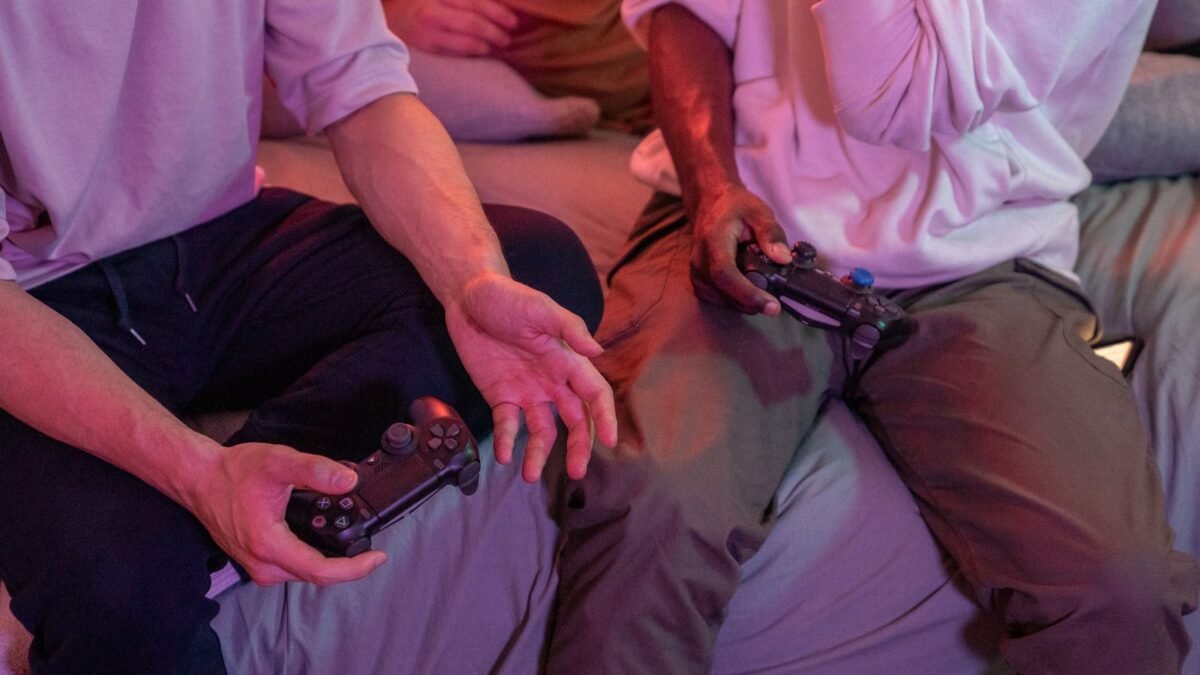
Unblocked 2 player games are free browser games that two people can play together, on the same keyboard, on the same screen, or online. You load the game in your browser, pick a mode, and start playing in seconds, with no download and no account.

Two-player games are popular because they are social. A single-player game is fun, but a game against a friend, a sibling or a classmate is a different kind of fun. You can talk, you can compete, and you can rematch straight away when you lose. That is why 2 player games unblocked are one of the most searched game types, and why the big game platforms all have a 2-player category.
This guide explains what 2 player games are, how they work in a browser, which types are worth your time, and how to play them safely. It also points to the multiplayer guide, which covers games with more than two players.
What Are 2 Player Games Unblocked?
A 2 player game unblocked is a browser game made for two players that can be played on a network that blocks many gaming sites. The word unblocked describes the network, not the game. The game itself is a normal browser game, hosted on a well-known game platform, and it runs in your browser with no install.
There are two kinds of 2 player games. Local 2 player games let two people share one keyboard and one screen. One player uses WASD, the other uses the arrow keys, and both players see the same screen. Online 2 player games let two people play from different devices, over the internet, usually against each other or together against the computer.
Local 2 player games are the most common in the unblocked games world, because they need no account, no friend list and no server. You sit next to your friend, you share a keyboard, and you play. Online 2 player games are also common, but they often need a link or a room code to connect the two players.
The 2-player category on CrazyGames lists browser 2-player games that run without a download, and Poki hosts a large free collection too. Both are legitimate game platforms, and both let you play without creating an account. That matters, because a site that asks you to download a file or create an account before you can play is not the kind of site this guide recommends.
How 2 Player Games Work in a Browser
Browser 2 player games run on HTML5, the same technology that powers most modern web pages. When you open a game page, the game files load in your browser and the game starts. There is no installer, no launcher and no extra program.
In a local 2 player game, the keyboard is split. Player one usually moves with WASD and acts with keys near the left side of the keyboard. Player two usually moves with the arrow keys and acts with keys near the right side, such as Enter, Shift or the number pad. The game shows the controls on the first screen, and most games let you check them again from the pause menu.
In an online 2 player game, one player creates a room and shares a link or a code with the other player. The second player opens the link, joins the room, and the game starts. Some online 2 player games match you with a random player instead, but the games in this guide focus on playing with a friend you know.
Controls are the biggest difference from a console game. A browser 2 player game uses one keyboard for two people, which can feel crowded at first. The keys are close together, and both players need to agree on who sits where. After one round, it feels natural, and the shared keyboard is part of the fun.
The Main Types of 2 Player Games Unblocked
Two-player games split into a few clear types. Sports games are the most popular, because the rules are simple and the matches are short. Fighting and arena games come next, because they are built for competition. Puzzle and co-op games are quieter, because the two players work together rather than against each other.
Two-player sports games
Sports games are the easiest 2 player games to learn, because the rules are already familiar. In a two-player basketball game, each player controls a character, tries to score, and tries to stop the other player. In a two-player soccer game, each player tries to score more goals than the other. The matches last a few minutes, and the loser can ask for a rematch straight away.
Basket Random and Soccer Random are the best-known two-player sports games in the browser. Both use simple physics and funny characters, and both work with two players on one keyboard. Basket Random is a basketball game where the characters are wobbly and the ball bounces in strange ways. Soccer Random is the same idea with soccer. Both are free on CrazyGames and Poki, and both are easy to learn in the first minute.
Penalty Shooters 2 also works with two players, taking turns to shoot and save penalties. 8 Ball Pool is a two-player pool game, where you take turns potting balls. If you want the full list of sports games, our hub of unblocked games by genre links every sports guide on this site.
Two-player fighting and arena games
Fighting games are built for two players. Each player controls a character, and the goal is to knock the other player out of the arena or reduce their health to zero. The rounds are short, often under a minute, and the winner is the first player to win a set number of rounds.
Getaway Shootout is a well-known two-player browser game in this style, where two players race and fight their way to the exit. Rooftop Snipers is another, a simple game where two players on rooftops try to shoot each other off the roof. Both games use simple controls, two or three keys each, and both are free in the browser. Stickman games, including stick fight games, are also popular two-player games, with simple graphics and fast rounds.
Arena games are a good choice when you want a quick competition. A round takes a minute, the controls are simple, and the result is clear. They are also good for a rematch, because the next round starts in seconds.
Two-player puzzle and co-op games
Co-op games are different from competitive games, because the two players work together. Fireboy and Watergirl is the best-known browser co-op game, where one player controls Fireboy and the other controls Watergirl, and the two characters must work together to solve puzzles and reach the exit. Fireboy cannot touch water, Watergirl cannot touch fire, and both must reach their own door. The game needs communication, because a puzzle that one player cannot solve alone is easy when both players work together.
Co-op games suit players who want to play together without competing. They are also good for younger players, because there is no loser, only a puzzle to solve together. Fireboy and Watergirl has many levels, and the early levels teach the controls, so a new player can start in the first minute.
Puzzle games for two players also include chess, checkers and other board games in the browser. These are slower than sports or fighting games, but they suit players who like to think. Our guide to chess, card and board games covers the board games in more depth, and you can find it from the genre hub.
4 Player Games Unblocked
Four player games unblocked is the easiest keyword in this group to rank for, and it deserves its own heading. A 4 player game in the browser is usually a party game, where four players share one keyboard or take turns, and the goal is to score more points than the other three players.
True four-player games on one keyboard are rare, because a keyboard has limited space and four sets of controls do not fit well. Most games that call themselves 4 player games are actually turn-based, where players take turns, or they are online games, where each player uses their own device. A few browser games support four players with two keyboards, or with a mix of keyboard and gamepads, but these are the exception.
If you want to play with three friends, look for a party game with a turn-based mode, or a game where players take turns in short rounds. Stickman party games and board games in the browser often work this way. If the game page does not say how many players it supports, assume it is a two-player game, and check the controls before you start.
Three player games unblocked work the same way. A few browser games support three players, but most are designed for two, and the third player takes turns or watches.

Unblocked Multiplayer Games
Multiplayer games are the next step from 2 player games. A 2 player game has two players. A multiplayer game has more than two, often many more, and the players are usually online, each on their own device. The difference matters, because a multiplayer game needs a server, a player list, and often an account, while a local 2 player game needs none of those.
Our guide to multiplayer games unblocked covers the multiplayer side in full. It explains which multiplayer games are free in the browser, which ones need an account, and which ones work on a Chromebook. It also covers .io games, which are simple online games with many players in one arena.
If you are not sure whether you want a 2 player game or a multiplayer game, ask one question: are you playing with a friend sitting next to you, or with people online? If the friend is next to you, a local 2 player game is the right choice. If the people are online, a multiplayer game is the right choice.
Where to Play 2 Player Games Unblocked
The safest way to play 2 player games unblocked is to use a well-known free game platform. CrazyGames and Poki are the two largest, and both are free, run in the browser, and do not ask for a download. Both have a 2-player category, so you can open the category and browse without searching. Miniclip is a third option, and it hosts several two-player sports games.
When you open a game platform, check three things before you play. First, the game should load on the page, with no download button in the way. Second, the game page should show the controls for both players. Third, the site should not ask you to create an account or enter personal details. A legitimate free game platform does not need your email address to let you play a game with a friend.
School networks block many gaming sites, and which sites are open changes from school to school. If a platform is blocked on your network, try another well-known platform rather than a random site that promises unblocked games. Random sites are more likely to show heavy ads, ask for downloads, or link to games that are not what they claim. Stick to the platforms named in this guide.
Are 2 Player Games Safe?
Two-player games are among the safest browser games, because most of them are local. Two people share one keyboard and one screen, so there is no stranger to talk to, no chat, and no personal details. The main risk is the site around the game, not the game itself.
Ads are the most common problem. Free game platforms show ads, and some ads are loud or hard to close. If an ad covers the game or asks you to download something, close the ad or the tab. Never download a file that a game site offers you. A browser game does not need a download, and a file from a game site is the most common way a safe session turns into a problem.
Online 2 player games need more care, because they connect you to another player over the internet. If the game has chat, turn it off in the settings, or play with a friend you know rather than a random player. If the game asks you to create an account, check whether you need one. Many online 2 player games work with a room link and no account, and those are the safer choice.
Age ratings are worth a quick check too. The ESRB rates games in North America and PEGI rates them in Europe, and both explain what is in a game. Most 2 player sports and puzzle games are rated for everyone, because they contain no violence or strong language. Common Sense Media also reviews games and apps for parents, and its reviews explain whether a game has ads, purchases or chat.
How to Pick a Good 2 Player Game
A good 2 player game shows its quality in the first minute. The game loads fast, the controls for both players are on the screen, and the first match starts without a long introduction. If a game takes more than a minute to load, or it shows a long video before you can play, close it.
Look for games where both players have the same chance to win. A fair two-player game gives both players the same controls, the same character, and the same goal. A game where one player has an advantage, or where the controls for one player are much harder, is not fun for the losing player. The best two-player games, Basket Random, Soccer Random and Fireboy and Watergirl, are fair, and that is why they are popular.
Check the game is free. A free browser 2 player game does not ask for payment, and it does not lock the main game behind a purchase. Some games offer optional extras, but the core game, the match itself, should be free. If a game asks you to pay before you can play, close it.
Finally, check the game works with the players you have. A local 2 player game needs one keyboard and one screen. An online 2 player game needs two devices and a link. Pick the kind that matches how you and your friend are playing.

2 Player Games on Chromebook and at School
Chromebooks are the most common device for playing unblocked 2 player games, because they are the device most schools hand out. Browser 2 player games work well on a Chromebook, because they need no install and they run in Chrome. The keyboard controls work the same way, and the games are small enough to load on a school network.
If a game does not load on your Chromebook, try three things. First, refresh the page. Second, try a different game on the same platform. Third, check whether the game needs two sets of keys that your keyboard supports. The problem is usually the game or the network, not the Chromebook, and a different game on the same site often works.
At school, the rules matter more than the game. Some schools allow games during breaks and block them during lessons. Some block all gaming sites. Follow your school’s rules, and do not try to get around a block by downloading software or using a proxy. The games in this guide are meant for free time, and the best way to keep them available is to play them when your school allows it.
Free 2 Player Games Worth Trying First
If you are new to 2 player games, start with these types. Each one is free, loads in the browser, and teaches its controls in the first minute.
Basket Random is the best first two-player sports game, because it is funny, fair, and works with two players on one keyboard. Soccer Random is the best first two-player soccer game, for the same reason. Fireboy and Watergirl is the best first co-op game, because the two players must work together, and the early levels teach the controls. Getaway Shootout is the best first two-player arena game, because its rounds are short and its controls are simple. Rooftop Snipers is the best first two-player aiming game, because it uses only two keys per player.
Try one game from each type before you settle on a favourite. The types are different enough that players who do not like sports games may love a co-op puzzle game, and players who do not like fighting games may love a sports game. The browser makes it easy to try, because each game is free and takes seconds to load.

Watch: 2 Player Games in Action
Watching a game before you play it is a fast way to learn the controls and see whether you will like it.
The first video shows BasketBros, a fast one-on-one browser basketball game with a 2-player mode, and the second shows 22 games in one browser tab, including chess, Ludo and other games that work with a friend on the same screen.
Frequently Asked Questions
What are the best 2 player games unblocked?
Basket Random, Soccer Random, Fireboy and Watergirl, Getaway Shootout and Rooftop Snipers are the most popular free 2 player games in the browser. They are all free, load without a download, and work on a Chromebook. Start with Basket Random if you want a sports game, and Fireboy and Watergirl if you want a co-op game.
Are unblocked 2 player games free?
Yes. The 2 player games in this guide are free on CrazyGames and Poki. A game that asks you to pay before you can play is not a free browser game, and you should close it and pick another one.
Can I play 2 player games unblocked on a Chromebook?
Yes. Browser 2 player games run on HTML5, so they work in Chrome on a Chromebook with no install. Two players share one keyboard, with one player on WASD and the other on the arrow keys.
Do 2 player games unblocked need a download?
No. A real browser 2 player game loads on the game page and starts in seconds. Never download a file from a game site. If a site asks you to download something, close it.
What is the best 2 player game for two people on one keyboard?
Basket Random and Soccer Random are the best two-player games for one keyboard, because the controls are simple and both players have the same chance to win. Fireboy and Watergirl is the best co-op game for one keyboard.
Can two people play 2 player games online from different devices?
Yes. Some 2 player games support online play, where one player creates a room and shares a link with the other player. Check the game page, because many 2 player games are local only, with both players on one keyboard.
Are 2 player games safe for kids?
Most 2 player sports and puzzle games are safe for kids, because they are local, with no chat and no strangers. Check the ESRB or PEGI rating, and Common Sense Media, if you want a second opinion before a child plays. Turn chat off in online games.
Why is a 2 player game blocked at my school?
Schools block gaming sites to keep students focused during lessons, and the list of blocked sites changes from school to school. If a site is blocked, try another well-known platform rather than a random site, and play games during free time when your school allows it.
Sources
9
- CrazyGames, 2 Player Games: https://www.crazygames.com/t/2-player
- Poki, Free Online Games: https://www.poki.com
- Miniclip, Free Games: https://www.miniclip.com
- CrazyGames, 1v1.LOL: https://www.crazygames.com/game/1v1-lol
- Krunker.io: https://krunker.io
- Wikipedia, Browser game: https://en.wikipedia.org/wiki/Browser_game
- ESRB, Ratings Guide: https://www.esrb.org
- PEGI, Age Ratings: https://www.pegi.info
- Common Sense Media: https://www.commonsensemedia.org