


A VPN encrypts everything your device sends on public Wi-Fi, so the hotspot owner and anyone else on the network cannot read your traffic or see which sites you visit. It also keeps your home services working while you travel. This guide explains what a VPN does and does not protect on shared networks, how to set it up for hotels, airports, and flights, and what to do when a network blocks it. For the bigger picture, see our pillar page on what a VPN is used for.

Photo: Calistemon, via Wikimedia Commons (CC BY-SA 4.0)
Why Public Wi-Fi Is Risky
Public Wi-Fi means any wireless network you do not control: cafes, hotels, airports, trains, and conference venues. The risk is not only the radio link. When your device joins a network, it accepts configuration from it, including the DNS resolver that turns site names into addresses. Whoever runs the network decides where your packets go first, and on many hotspots other users can reach your device directly.
The good news is that the old warning has softened. The US Federal Trade Commission (FTC) now says that because most websites use encryption, connecting through a public Wi-Fi network is usually safe. Look for the lock symbol or https in the address bar, and your page content and passwords are protected from snooping on that site.
The risk has moved rather than vanished. Encryption protects the content of your visit, but it does not hide which sites you visit: DNS lookups and the server name in the connection handshake are often still visible to the network. Unencrypted apps, background services, and plain HTTP traffic are still exposed. And the network itself can be fake: anyone can set up an access point with the same name as the cafe network, and your device may join it automatically. That is the gap a VPN closes.
What a VPN Actually Protects on Public Wi-Fi
A VPN puts an encrypted tunnel between your device and a VPN server. The hotspot sees only that tunnel, not the sites inside it. Here is what changes:
| Threat on public Wi-Fi | With HTTPS only | With HTTPS plus a working VPN |
|---|---|---|
| Someone reading page content and passwords | Protected | Protected |
| Someone seeing which sites you visit | Visible through DNS, server name, and IP address | Hidden from the hotspot; visible to the VPN provider instead |
| A hostile DNS resolver sending you to fake sites | Exposed unless encrypted DNS is used | Bypassed while traffic stays in the tunnel |
| Tampering with unencrypted traffic | Exposed | Protected inside the tunnel |
| Direct attacks from other users on the network | Depends on your device firewall | Depends on your firewall and the VPN’s LAN settings |
| A fake sign-in page or phishing site | Not protected | Not protected |
| Traffic sent before the VPN connects | Exposed | Exposed unless blocked until connected |
The last row matters most in practice. If your laptop sends email or syncs files in the seconds before the VPN connects, that traffic travels unprotected. Turn on auto-connect and a kill switch, which blocks all internet access until the VPN is up, and the gap disappears.
There is one more honest limit. A VPN shifts trust from the hotspot to the VPN provider. Choose a provider with an independently audited no-logs policy, because it can now see what the hotspot cannot. Our guide on whether a VPN is safe explains how to judge that trust.
Does a VPN Hide Your Browsing History from the Wi-Fi Owner?
Yes, for the most part. With a working VPN, the Wi-Fi owner sees only an encrypted connection to a VPN server. They cannot see which websites you visit, what you search for, or what you type into pages. They can see that you are using a VPN, how much data you move, and when you connect.
Two exceptions are worth knowing. First, the Wi-Fi owner can still see traffic that leaves the tunnel, such as apps that bypass the VPN or anything sent before the VPN connects. Second, if you sign in to an account, that service still knows who you are; the VPN hides your activity from the network, not from the sites you log in to.
The same answer covers the questions people ask in different words: whether the hotel can see your searches, whether the network admin can see your history, and whether incognito mode plus a VPN hides more. Incognito mode only stops your own browser saving history; it does not hide anything from the network. The VPN is the part that hides your activity from the network.
How to Use a VPN on Public Wi-Fi
The setup takes about two minutes, and most of it is a one-time job:
- Install the VPN before you leave home. App stores and VPN websites are sometimes blocked on public networks, and you cannot download the app from a network that blocks it.
- Turn on auto-connect for untrusted networks. Most good VPN apps can connect automatically whenever you join a network that is not your home Wi-Fi.
- Turn on the kill switch. This blocks all traffic if the VPN drops, so a flaky hotel connection never exposes your real IP address.
- Connect before you open anything sensitive. Join the Wi-Fi, let the VPN connect, then open your banking app or email.
- Use a nearby server for speed. A server in your own country or the nearest available one keeps latency low on already slow hotel networks.
- Forget the network when you leave. Your device will otherwise reconnect automatically next time you pass the same cafe, sometimes before the VPN is ready.
If the network shows a captive portal, the sign-in page that appears when you join hotel or airport Wi-Fi, connect to the VPN after you sign in, not before. The portal needs to see your device to let you through, and the VPN tunnel blocks that handshake. Sign in, then turn the VPN on.

Photo: Alan Stanton, via Wikimedia Commons (CC BY-SA 2.0)
Hotel Wi-Fi: The Tricky One
Hotel Wi-Fi causes more VPN problems than any other public network, because hotels add layers that cafes do not. The captive portal is the first hurdle. Some hotels also limit each room to one or two devices, throttle video streaming, or block VPN ports outright.
A practical routine for hotels: sign in to the portal first, connect the VPN, and then use the internet normally. If the VPN will not connect at all, try switching protocols in the app settings, since some networks block the default protocol but not others. Switching to a different server in the same country sometimes helps too.
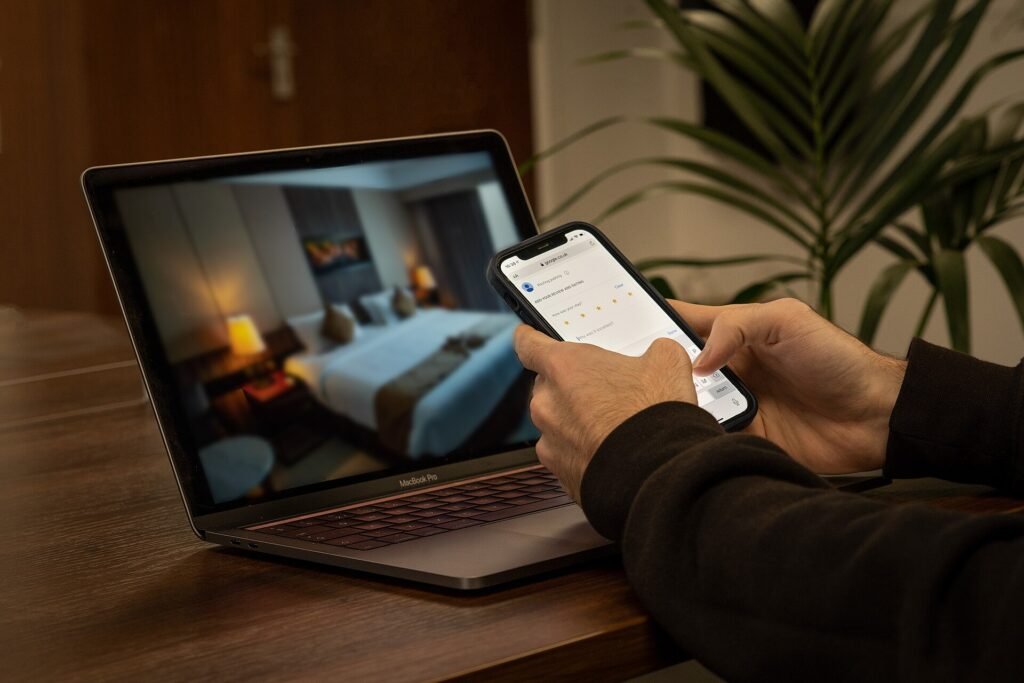
Photo: Familydestinationsguide.com Images, via Wikimedia Commons (CC BY 2.0)
Hotel smart TVs and streaming sticks are a separate problem. Most cannot run a VPN app, so a show that is blocked in the country you are visiting stays blocked on the TV. The fix is a travel router, covered below, or casting from a phone or laptop that is already on the VPN.
One caution about hotel portals: never type a password, card number, or install anything a portal asks for. A legitimate portal asks you to accept terms or enter a room number. Anything beyond that is a reason to ask reception for help.
Airport and Airplane Wi-Fi
Airport Wi-Fi is the classic public hotspot: large, busy, and shared with thousands of strangers. The advice is the same as for cafes, with one extra step. Airports are full of look-alike networks, so confirm the official network name on a sign or with staff before joining. A network called “Free Airport WiFi” next to the official “Airport_WiFi” is exactly how fake hotspots operate.
Airplane Wi-Fi is slower and more restricted. Many airlines block VPN traffic or throttle it so heavily that video calls fail. If your VPN will not connect in the air, try a different protocol or a server closer to the airline’s home country, and accept that streaming may still be too slow. Download what you need before boarding rather than relying on in-flight Wi-Fi for anything important.
Using a VPN While Travelling Abroad
Travel is where a VPN earns its keep beyond security. Your banking app may refuse to sign in from a foreign IP address, your home streaming catalogue may disappear, and some messaging features may be restricted. Connecting to a server in your home country usually restores all three.
A few countries go further and restrict VPNs themselves. China is the best-known example: only government-approved VPNs are permitted, and many commercial VPN apps do not work there at all. If you are travelling to China or a similar country, install and configure the VPN before you arrive, because the app stores and VPN websites may be blocked once you land. Obfuscated servers, which disguise VPN traffic as regular traffic, help on restricted networks, but they are not a guarantee.
Before any trip, check two things: whether VPNs are legal where you are going, and whether your provider has servers in the countries you need. A provider with servers in 100 countries is no help if it has none in yours.

Photo: 徐月春, via Wikimedia Commons (CC BY 3.0)

Photo: PierreSelim, via Wikimedia Commons (CC BY-SA 3.0)
Travel Routers and Hotspot VPNs
A travel router is a small pocket-sized router that connects to hotel or cafe Wi-Fi and creates your own private network for all your devices. If the router runs a VPN, every device behind it is protected, including smart TVs, streaming sticks, and game consoles that cannot run a VPN app themselves. Popular options include the ExpressVPN Aircove Go and the TP-Link TL-WR3002X (Roam 6) AX3000 Wi-Fi 6 travel router, which are built for exactly this job.
Sharing a VPN over a phone hotspot is the cheaper alternative, but it has a catch. On most phones, the hotspot shares your raw mobile connection, not the VPN tunnel, so devices connected to the hotspot are not protected. Android and iPhone handle this differently, and some Android phones can share the VPN connection with a bit of setup, while iPhones generally cannot. If you need every device protected, a travel router is the reliable route.
A simpler option for one laptop and one phone is to install the VPN app on each device separately. Most paid plans cover five or more devices at once, and some cover unlimited devices, so this costs nothing extra.
When the VPN Will Not Connect on Wi-Fi
A VPN that refuses to connect on one network and works everywhere else is almost always the network, not the app. Work through these in order:
- Finish the captive portal first. Disconnect the VPN, sign in to the portal, then reconnect the VPN.
- Switch servers. The network may be blocking a specific VPN IP address. Another server in the same country often works.
- Switch protocols. In the app settings, try WireGuard, OpenVPN, or IKEv2 in turn. Some networks block one protocol and not others.
- Turn on obfuscation. If the app offers obfuscated or stealth servers, use them on networks that actively block VPNs.
- Check the time and date. A device clock that is far off can break the VPN handshake.
- Fall back to mobile data. If the Wi-Fi will not cooperate, your phone’s data connection avoids the network entirely.
If the VPN works on mobile data but never on a particular Wi-Fi network, that network is deliberately blocking VPNs. Schools, workplaces, and some hotels do this on purpose, and no settings change will override a network policy you do not control. Our guide on how to unblock sites with a VPN covers the workarounds in more detail.

Photo: Zorro2212, via Wikimedia Commons (CC BY-SA 4.0)
Free VPNs on Public Wi-Fi
Free VPNs are tempting on a network you do not trust, but they often make the problem worse. A free VPN has to pay for servers somehow, and some do it by logging and selling browsing data or showing ads. Others cap data at a few hundred megabytes a day, which runs out before lunch on a travel day.
There are exceptions. A few reputable providers offer a free plan with unlimited data and the same encryption as their paid plans, but with fewer server locations. If you use one, check that it has a published no-logs policy and a company behind it you can identify. A VPN from an unknown developer with no privacy policy is a bigger risk than the open Wi-Fi it claims to protect you from.
What Else to Do Besides a VPN
A VPN is one layer. These habits cover what it cannot:
- Use HTTPS everywhere. The lock icon in your browser is the baseline; a VPN adds a layer on top of it.
- Turn on two-factor authentication for email, banking, and cloud accounts.
- Keep your software updated. The FTC’s public Wi-Fi advice lists updates alongside strong passwords as the basic protections.
- Turn off automatic Wi-Fi connection so your phone does not join unknown networks by itself.
- Forget public networks after use so you do not reconnect silently later.
- Do not stay signed in to sensitive accounts on shared devices or networks longer than needed.
- Check the network name with staff before joining in airports, hotels, and cafes.
CISA’s home Wi-Fi guidance makes the same point for your own router: use WPA3 or WPA2 AES encryption, change the default passwords, and keep the firmware updated. A secure home network and a VPN on public networks together cover both ends of the journey.

Photo: Basile Morin, via Wikimedia Commons (CC BY-SA 4.0)
Frequently Asked Questions
Does a VPN protect you on public Wi-Fi?
Yes. A VPN encrypts all traffic between your device and the VPN server, so other people on the same network cannot read it or see which sites you visit. It does not protect you from phishing sites, malware, or scams, and it only works for traffic that actually goes through the tunnel.
Can the Wi-Fi owner see what I search with a VPN?
No. The Wi-Fi owner sees only an encrypted connection to a VPN server. They cannot see your searches, the sites you visit, or what you type. They can see that you are using a VPN and how much data you use.
Is it safe to use public Wi-Fi with a VPN?
Yes, it is the recommended way to use public Wi-Fi. Combine the VPN with HTTPS sites, two-factor authentication, and a kill switch, and the remaining risk is mostly fake networks and phishing rather than interception.
Can I use a VPN on a phone hotspot?
You can run a VPN on the phone itself, and that protects the phone. Devices connected to the phone’s hotspot are usually not covered, because the hotspot shares the raw mobile connection rather than the VPN tunnel. For whole-device coverage, use a travel router or install the VPN app on each device.
Can a VPN be blocked on Wi-Fi?
Yes. Schools, workplaces, hotels, and some countries block known VPN servers or VPN protocols. Switching servers, switching protocols, or using obfuscated servers often gets around a simple block, but a determined network policy cannot always be bypassed.
Do I need a VPN for hotel Wi-Fi?
It is strongly recommended. Hotel networks are shared with many strangers, use captive portals, and sometimes run older equipment. A VPN with auto-connect and a kill switch removes most of the risk with no daily effort.
What is the best VPN for travel?
The best travel VPN is one with servers in the countries you visit, apps for all your devices, auto-connect on untrusted networks, a kill switch, and obfuscated servers for restrictive countries. Speed on a nearby server matters more than the total number of countries.
Watch: Wi-Fi and VPNs
Video: “Wi-Fi and VPNs: What Do They Actually Protect?” by MakeLearningFunAgain, checked live 23 November 2026.
Video: “VPN Over Open Wireless Networks – CompTIA Security+ SY0-401: 1.5” by Professor Messer, checked live 23 November 2026.
Sources
9
- Federal Trade Commission, “Are Public Wi-Fi Networks Safe? What You Need To Know” — https://consumer.ftc.gov/articles/are-public-wi-fi-networks-safe-what-you-need-know
- CISA, “Securing Your Home Wi-Fi” — https://www.cisa.gov/audiences/high-risk-communities/projectupskill/module5
- National Cyber Security Centre (UK), “Virtual Private Networks (VPNs)” — https://www.ncsc.gov.uk/collection/device-security-guidance/infrastructure/virtual-private-networks
- Bleeping Computer, “Best VPN for public WiFi: How to use hotspots safely” — https://www.bleepingcomputer.com/vpn/guides/vpn-public-wifi/
- Comparitech, “Best VPNs for public WiFi hotspots: A comprehensive guide” — https://www.comparitech.com/blog/vpn-privacy/vpn-public-wifi/
- All About Cookies, “Does a VPN Really Protect You on Public Wi-Fi?” — https://allaboutcookies.org/does-vpn-protect-on-public-wifi
- Cloudwards, “7 Best VPNs for Public WiFi in 2026” — https://www.cloudwards.net/best-vpn-for-public-wifi/
- VPN.com.de, “VPN on public Wi-Fi: real risks and captive portals” — https://vpn.com.de/research/vpn-on-public-wifi-and-captive-portals
- Professor Messer, “VPN Over Open Wireless Networks” — https://www.professormesser.com/security-plus/sy0-401/vpn-over-open-wireless-networks/
Every factual claim on this page was verified against a named source above.


