By Tech Success Communications Editorial Team | Checked 23 Nov 2026
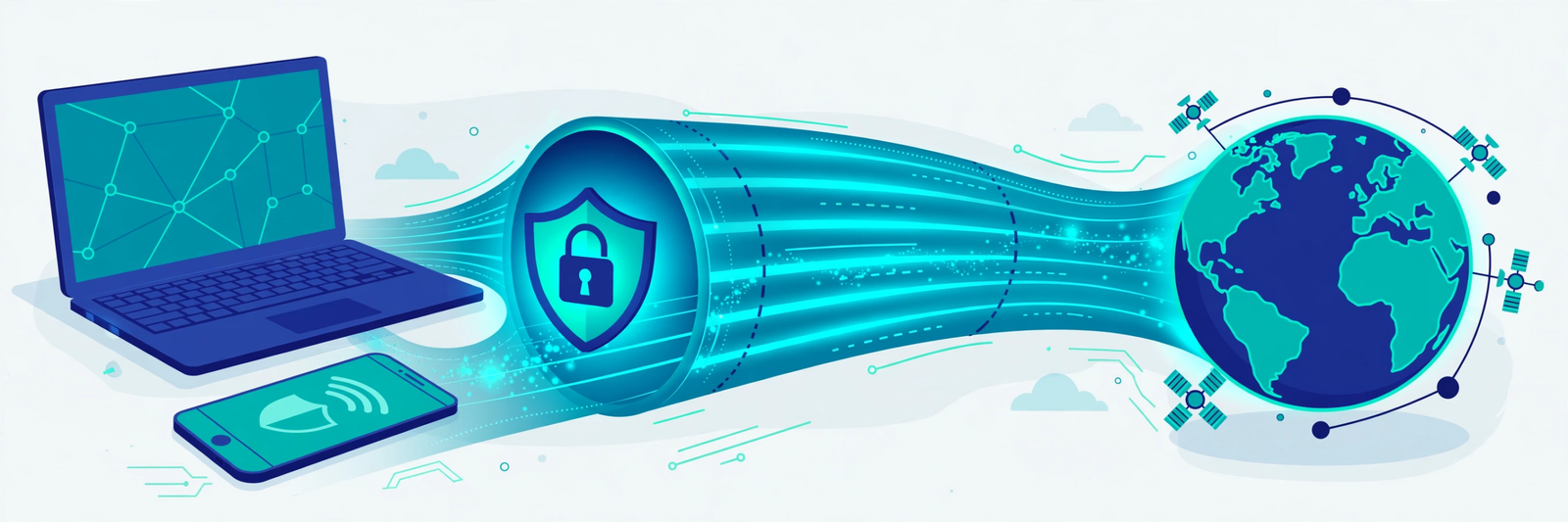
A VPN, short for Virtual Private Network, encrypts your connection and routes it through a private server, hiding your real IP address and location from websites and your internet provider.
In plain English, it builds a private, encrypted tunnel to the internet.
What Does a VPN Do?
A VPN does three things at once:
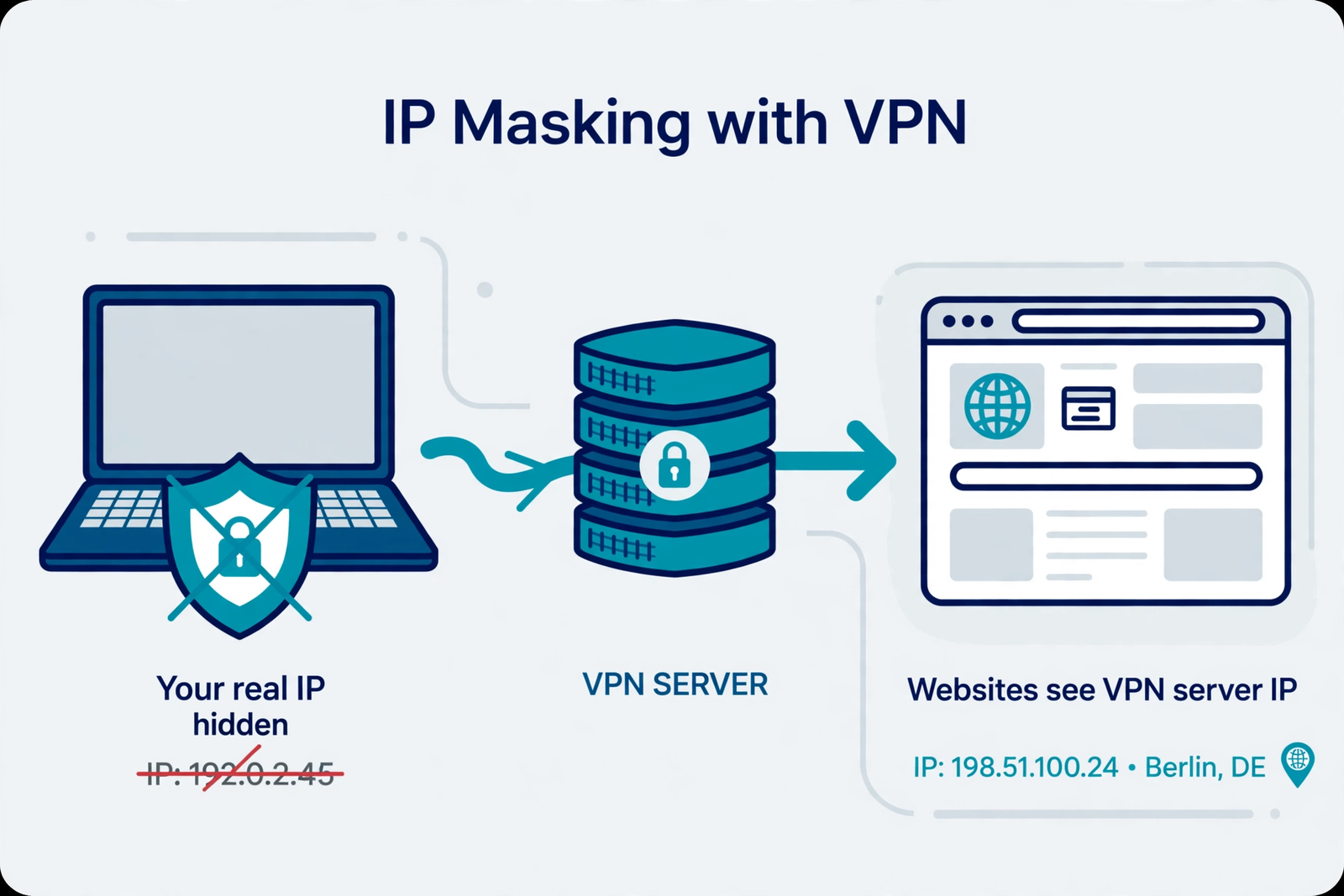
- It hides your IP address. Websites see the VPN server’s IP address instead of yours.
- It encrypts your traffic. Everything leaving your device is scrambled, so nobody on the same Wi-Fi network can read it.
- It changes your virtual location. Connect to a server in another country and websites treat you as if you were there.
For the full picture, see what a VPN does.
The benefit is control: your provider can no longer see which sites you visit, and it cannot slow video or gaming specifically.
What a VPN Hides, and What It Cannot Hide
| Hidden by a VPN | NOT hidden by a VPN |
|---|---|
| Your real IP address and location | Your email address and account logins |
| Your browsing history from your internet provider | What you post on social media |
| Your traffic on public Wi-Fi | Malware already on your device |
| Your DNS requests (with a good provider) | Your identity if you log in to Google, Facebook or your bank |
A VPN hides the connection, not the accounts: log in somewhere, and that service still knows it is you.
VPN Meaning: What Does VPN Stand For?
VPN stands for Virtual Private Network. The Cambridge Dictionary defines it as a private computer network within a larger network such as the internet.
- Virtual: no physical cable; the network is created in software.
- Private: traffic in the tunnel is encrypted and hidden from outsiders.
- Network: your device joins a private network run by the VPN provider.
An IP address is your device’s internet address. It reveals your approximate location and provider. A VPN replaces it with its server’s address.
How Does a VPN Work?
When you switch a VPN on, five things happen in seconds:
- Activation. The app starts and authenticates you with the VPN server.
- Encryption. Traffic is scrambled, usually with AES-256, the Advanced Encryption Standard from the U.S. National Institute of Standards and Technology (NIST).
- Tunneling. Encrypted traffic is sealed inside a private channel nobody outside can read.
- Decryption. The server unwraps your traffic and sends it to the website.
- Masking. The website replies to the server, which sends the answer back to you. The site sees only the server’s IP address.
Switch it off and your real IP is visible again. For diagrams, see how a VPN works.
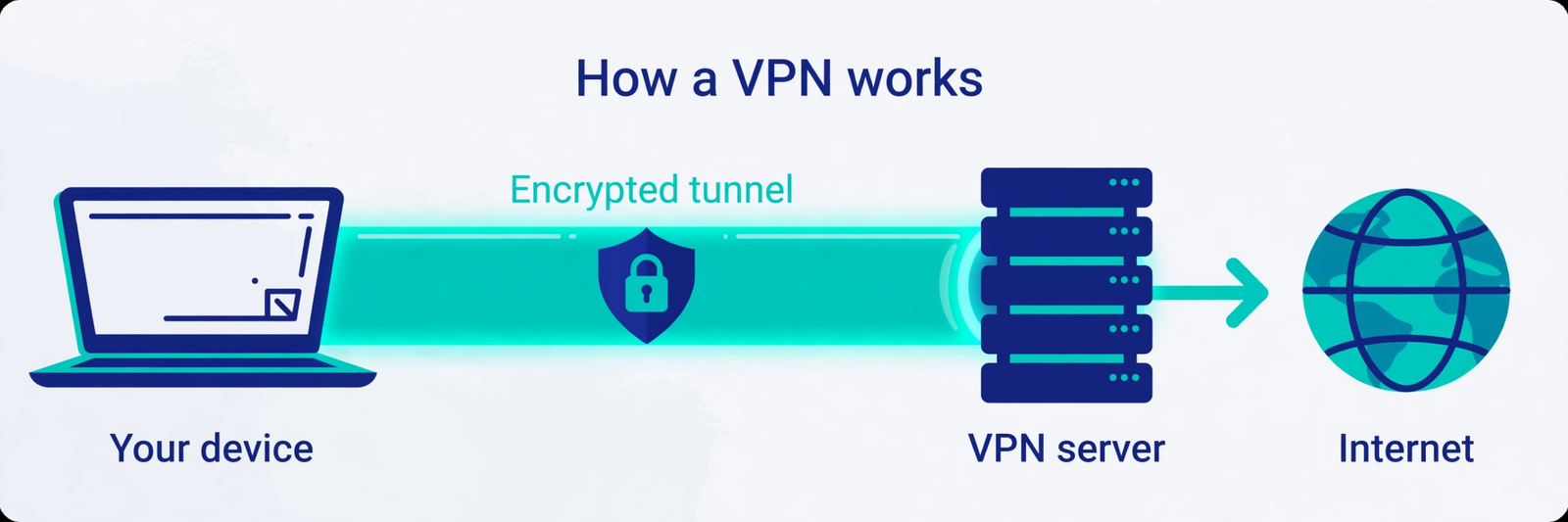

Encryption turns traffic into unreadable code, almost always AES-256, and only the server holds the key. See VPN encryption explained.
A VPN server is the computer at the other end of your tunnel. It decrypts your traffic and lends you its IP address. If a VPN feels slow, switching servers is the first fix to try. See VPN servers and locations.
The protocol is the set of rules the app and server use to build the tunnel: WireGuard, the fast modern default, in the Linux kernel since March 2020; OpenVPN, in use since 2001; IKEv2/IPSec, built for mobile, which reconnects quickly when your phone switches networks; and SSL VPN, common in workplaces. Most SSL VPNs run through a client app such as FortiClient or Cisco AnyConnect, though some are clientless and work in the browser. Data Channel Offload, the feature that moves OpenVPN’s encryption into the operating system kernel, arrived in OpenVPN 2.6 in January 2023. OpenVPN 2.7.0, released 11 February 2026, is the first version built for the new in-tree kernel module, which shipped in Linux 6.16 in July 2025. On Windows the win-dco driver has been included since 2.6, with server mode added in 2.7. See VPN protocols.
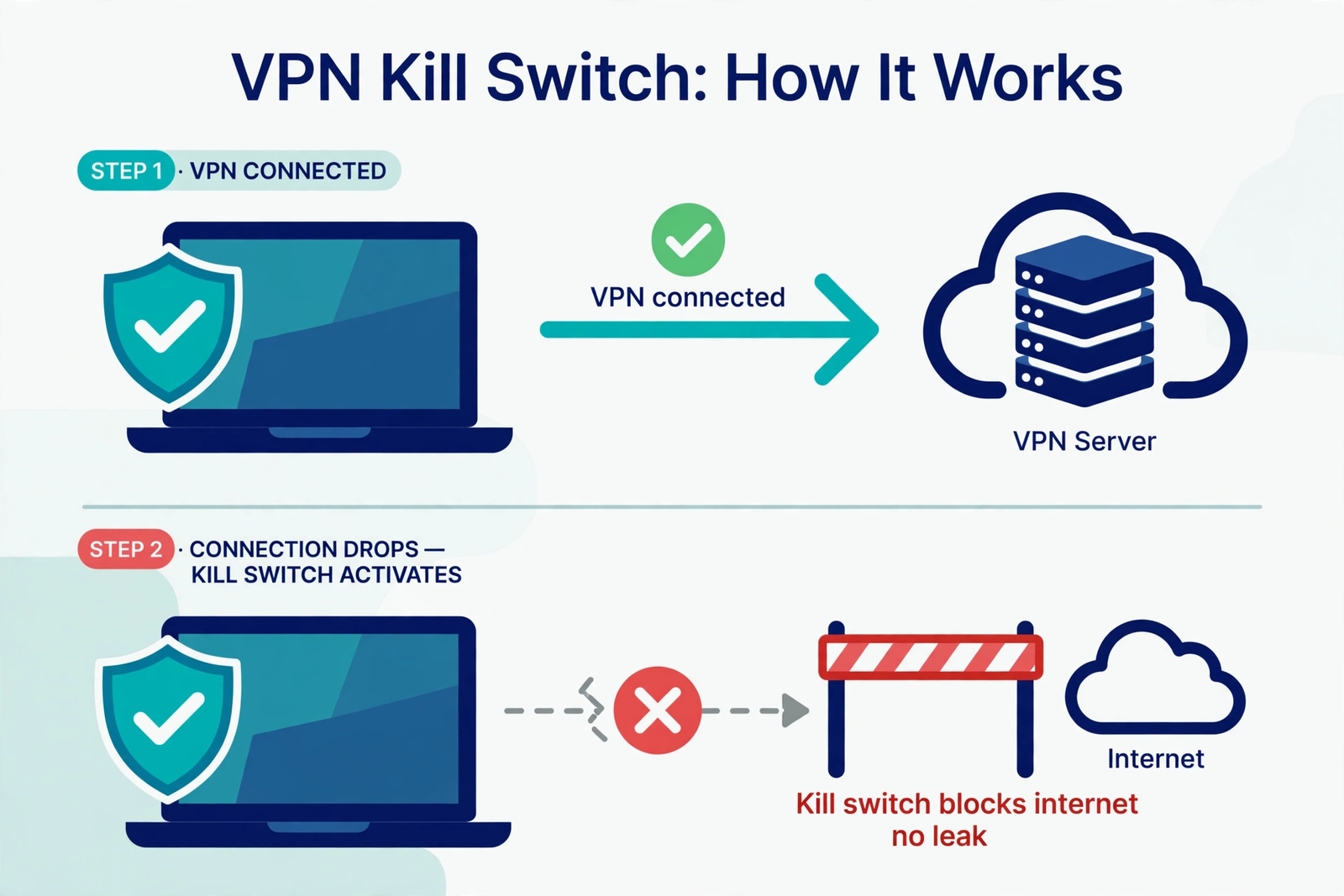
A VPN connection is the live, encrypted link to the server. If it drops, a kill switch blocks your internet until the tunnel is back up. Split tunneling lets you choose which apps use the VPN. See the VPN kill switch.
What Is a VPN Provider?
A VPN provider is the company that runs the service: the servers, the apps, and the network.
- No-logs policy. No record of your activity, ideally independently audited.
- Kill switch. Blocks traffic if the connection drops.
- Server locations. More countries, more choice.
- Speed. Encryption costs a little speed.
- Jurisdiction. Decides what data the company can be forced to hand over.
- Leak protection. Stops DNS and IPv6 leaks.
- P2P support. Check whether torrenting is allowed.
- Obfuscation. Useful where VPNs are blocked.
A verified no-logs policy keeps activity private even from the provider.
The types of VPN include personal, remote-access and site-to-site VPNs.
VPN vs Proxy: What Is the Difference?
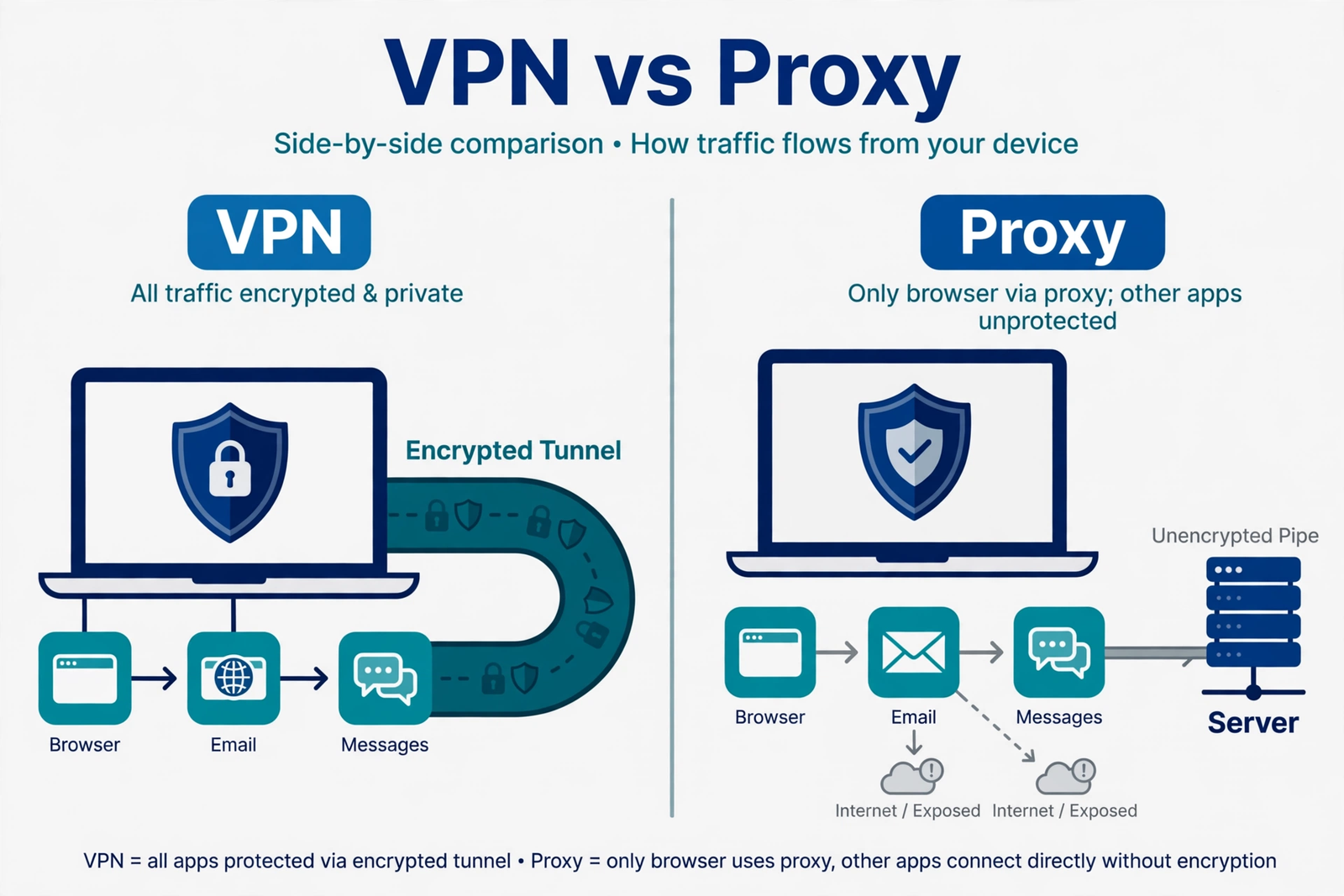
A proxy also hides your IP address, but that is where the similarity ends.
| VPN | Proxy | |
|---|---|---|
| Encrypts your traffic | Yes | Usually no |
| Hides your IP address | Yes | Yes |
| Protects all apps on your device | Yes | Only the app or browser set to use it |
| Needs an app | Yes | Often just a browser setting |
A proxy suits unblocking a single page; a VPN protects everything on your device. Full comparison, including Tor, is in VPN vs Proxy.
Is a VPN Safe?
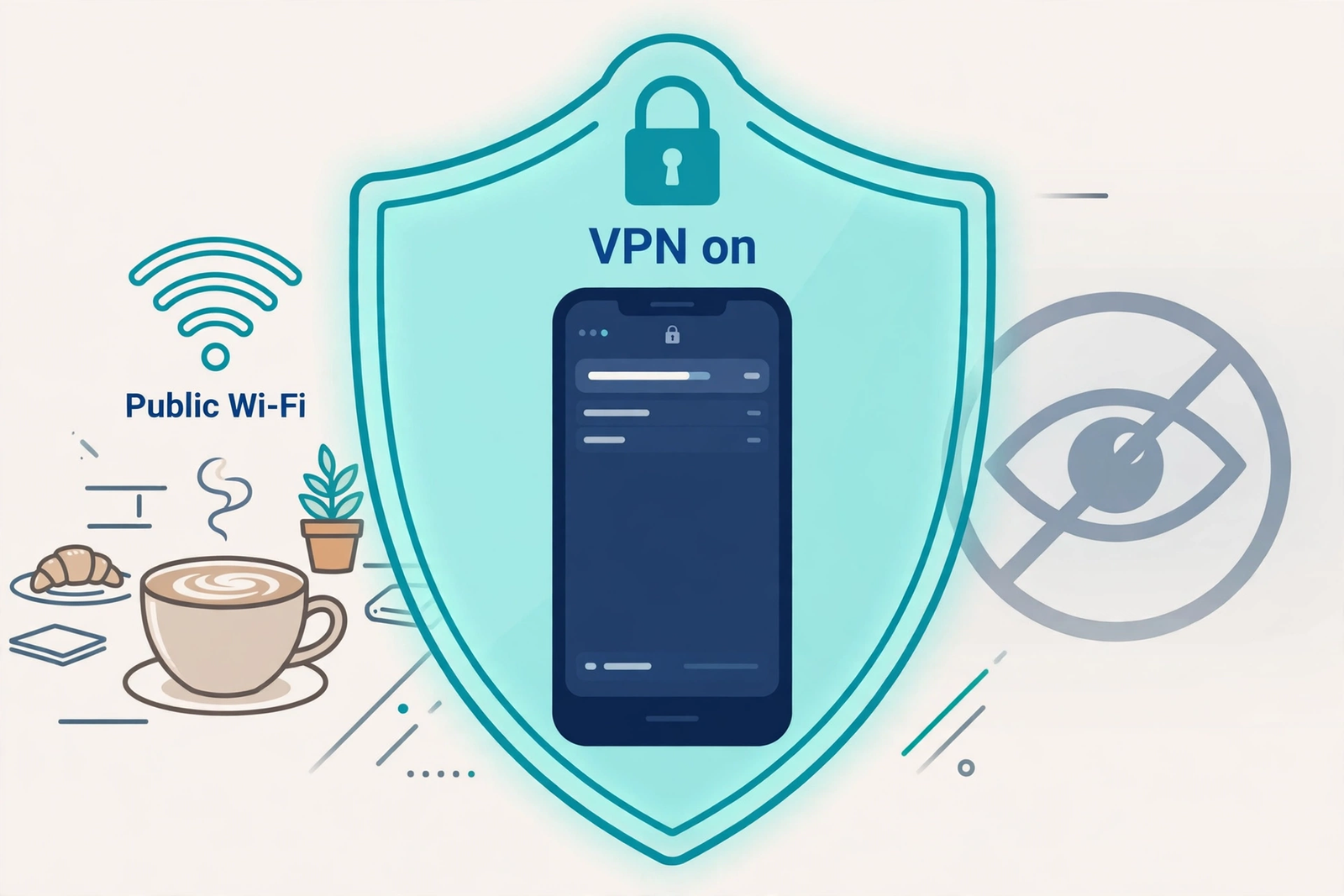
A VPN from a reputable provider is safe, especially on public Wi-Fi, where anyone on the same network can watch an unprotected connection. Security depends on the provider: its encryption, audits, and breach history.
But a VPN is not magic:
- It does not block viruses or malware. That is an antivirus’s job.
- It does not make you anonymous; the provider can see your traffic.
- A bad free VPN can be worse than none. Some log and sell your data.
- A VPN can be hacked like any software. Check the provider’s security record and audits.
A paid VPN with a public audit is safe. A random free VPN with no clear business model is a risk. See Is a VPN Safe?
The Downsides of a VPN
- Slower speeds. Encryption and the extra hop cost speed.
- A monthly cost. Good VPNs are subscriptions; free plans always cap something.
- Some sites fight back. Streaming services block many VPN servers.
- You must trust the provider. Trust moves from your internet provider to the VPN company.
- Not a complete shield. It does not stop phishing or password theft.
Do VPNs Slow Down the Internet?
Yes, a little. It depends on server distance, load and protocol. A nearby WireGuard server is often barely noticeable.
Traffic sometimes detours to a distant server and back, the “trombone effect”. The nearest server is usually fastest.
A VPN can also speed things up: if your provider throttles video or gaming, it hides the traffic type.
Free vs Paid VPN
| Free VPN | Paid VPN | |
|---|---|---|
| Cost | $0 | Typically $12 to $15 a month on a monthly plan, or $2 to $4 a month on a one to two year plan |
| Privacy | Often logs or sells data; read the policy | No-logs policy, ideally independently audited |
| Speed | Usually capped or crowded | Full speed on most servers |
| Servers | A handful of countries | Dozens of countries, thousands of servers |
| Data limit | Almost always capped | Usually unlimited |
| Best for | Trying a VPN out, or occasional use | Daily use, travel, streaming, work |
Prices above are typical ranges, not a quote. If a VPN is free and unlimited, the business model is usually your data. See the best free VPNs.
Streaming and Geo-Unblocking
People buy VPNs to stream other countries’ catalogues on Netflix, Hulu, BBC iPlayer, ITVX and others. It works until it does not: services detect and block VPN servers, so a server that works today may be blocked tomorrow.
Censorship and Freedom
Where the internet is censored, a VPN is how people reach blocked news, social media and messaging apps. Install one before you travel, because provider websites are often blocked once inside.
Business and Enterprise VPNs
Businesses use VPNs for remote workers (remote-access) and to connect offices (site-to-site). Modern alternatives, ZTNA and SASE, check every user and device first. The concentrator is the office device managing hundreds or thousands of employee connections. See VPN concentrators.
What Is a VPN on My Phone?
A VPN on your phone works like one on your laptop: it encrypts all traffic and hides your IP address. It matters more on a phone, which constantly joins public Wi-Fi.
Most apps offer whole-phone or per-app VPN and an “always-on” mode. iPhone and Android both have a VPN section in Settings.
You can also run a VPN on a router, covering every device at home, including TVs and consoles with no VPN app; as a browser extension, covering only that browser; or manually on Linux and supported TVs and consoles.
On Windows or Mac, install the desktop app, sign in, pick a server and connect. Desktop apps offer the most features.
A VPN on your phone does not protect a laptop on its hotspot. Run the VPN app on the laptop too.
How to Use a VPN
Using a VPN takes about five minutes:
- Pick a provider and sign up.
- Install the app from the provider’s site or app store.
- Sign in.
- Choose a server. Nearest for speed, or the country you need.
- Connect. One tap.
Full walkthrough: how to use a VPN.
How to Use a VPN on iPhone
On iPhone, use the provider’s app from the App Store. Settings, under General then VPN and Device Management, lets you switch it by hand. Switch on “always-on” so it reconnects on new Wi-Fi networks.
How to Check If Your VPN Is Working
Check three things after connecting: your IP address (search “what is my IP” off, then on; it should change), a DNS leak test, and the kill switch (disconnect suddenly; your internet should stop). If any fails, switch servers first. See checking if your VPN is working.
What Is the Best VPN?
No single best VPN exists. Judge any service on:
- Independently audited no-logs policy
- Fast, modern protocol (WireGuard or OpenVPN)
- Kill switch on every app
- Servers in the countries you actually need
- A price you are comfortable paying monthly or yearly
- Jurisdiction, leak protection, P2P support and obfuscation
Our roundup of the best VPN services compares the major providers on those points. For free options, see the best free VPNs.
Do I Need a VPN?
You probably do if:
- You use public Wi-Fi regularly
- You travel and connect to hotel or airport networks
- You work remotely and access company systems
- You want your internet provider to stop seeing every site you visit
- You watch content only available in other countries
- You game online, or you stream and suspect your provider throttles video
You probably do not need one if you only browse at home on a private network. The real value shows on networks you do not control.
Is a VPN Enough?
No. A VPN is one layer:
- Antivirus. A VPN does not detect or remove malware.
- Private browsing. Hides history from people using your device, not from your provider.
- Ad-blockers. Block trackers and ads a VPN cannot see.
- Two-factor authentication (2FA). Protects accounts even if a password leaks.
- Tor Browser. Stronger anonymity through three relays, at much slower speeds.
A VPN protects the road. The other tools protect the destinations and the device.
A Short History of VPNs
VPNs began in the late 1990s as a business tool for secure office connections. OpenVPN, which made VPNs practical for ordinary users, was released in 2001. Consumer VPNs took off in the 2010s.
Watch: What Is a VPN?
1. “VPN Explained: Do You Really Need One? (Plain English)” – Simplex Explains
A short (about 4 minute) plain-English explainer on what a VPN is, public Wi-Fi, and free VPN risks.
2. “How Does a VPN Work? (And Who Can Still See You)” – Clear Workings
A deeper (about 10 minute) walkthrough of the tunnel, encryption, and VPN vs proxy vs Tor.
Frequently Asked Questions
What is a VPN for?
Privacy and security: it encrypts your connection, hides your IP address, and protects traffic on public Wi-Fi. People also use it for content in other countries.
What is a VPN on my phone?
The same VPN service, as an app on your phone. It encrypts your phone’s traffic and hides its IP address, which matters most on public Wi-Fi.
Can a VPN be tracked?
Your provider can see you are connected to a VPN, but not what you do inside the tunnel. Websites see the server’s IP address, not yours.
Can VPNs be hacked?
Yes. A VPN is software, and software can have vulnerabilities. What protects you is the provider’s practice: regular independent audits and open-source protocols many eyes have reviewed.
Do VPNs slow down the internet?
A little, usually. It depends on server distance, load and protocol. A nearby WireGuard server is often barely noticeable, while a distant crowded server can be much slower.
Does a VPN make you fully anonymous?
No. It hides your IP address and encrypts traffic, but not your identity when you log in, and the provider can see your traffic without a verified no-logs policy.
Do VPNs protect against viruses?
No. A VPN encrypts your connection; it does not scan downloads or block malware. For virus protection you still need an antivirus.
How much does a VPN cost?
Most paid VPNs cost roughly $12 to $15 a month on a monthly plan, or $2 to $4 a month on a one to two year plan. Free VPNs cap speed, data or server choice.
How do I set up a VPN?
Pick a provider, install its app, sign in, choose a server and connect. That takes about five minutes. See how to use a VPN.
Are VPNs legal?
In most countries, including the United States, the United Kingdom, Canada and most of Europe, using a VPN is legal. A few countries restrict or ban them. See whether VPNs are legal.
The Bottom Line
A VPN is an encrypted tunnel that hides your IP address and keeps traffic private. It does not make you invisible or replace an antivirus, but on public Wi-Fi or while travelling, it is the easiest privacy upgrade. See how to use a VPN.
Sources
- Cambridge Dictionary – VPN: abbreviation for Virtual Private Network – https://dictionary.cambridge.org/dictionary/english/vpn
- Microsoft Azure – “What is a VPN?” (cloud computing dictionary) – https://azure.microsoft.com/en-ca/resources/cloud-computing-dictionary/what-is-vpn
- IBM – “What is a Virtual Private Network (VPN)?” – https://www.ibm.com/think/topics/vpn
- Cloudflare Learning – “What is a VPN?” – https://www.cloudflare.com/en-gb/learning/access-management/what-is-a-vpn/
- Fortinet – “What Is a VPN? How Does a Virtual Private Network Work?” – https://www.fortinet.com/resources/cyberglossary/what-is-a-vpn
- U.S. National Institute of Standards and Technology (NIST), FIPS 197 – Advanced Encryption Standard (AES) – https://www.nist.gov/publications/advanced-encryption-standard-aes
- U.S. Federal Trade Commission (FTC) – “In the market for a VPN app?” – https://www.ftc.gov/business-guidance/blog/2018/02/market-vpn-app
- Electronic Frontier Foundation (EFF) – “Choosing the VPN That’s Right for You” – https://ssd.eff.org/ps/module/vpn
- ExpressVPN Glossary – “What is AES encryption?” – https://www.expressvpn.com/glossary/aes-encryption/
- Gizmodo – “OpenVPN vs WireGuard in 2026” – https://gizmodo.com/best-vpn/openvpn-vs-wireguard
- PrivacyAffairs – “WireGuard vs OpenVPN (2026)” – https://www.privacyaffairs.com/wireguard-vs-openvpn/
- Nym – “What Is a VPN kill switch & why it’s key for privacy” – https://nym.com/blog/what-is-a-vpn-kill-switch
- Proton VPN – “How to use kill switch” – https://protonvpn.com/support/what-is-kill-switch
- Apple / Google support – iPhone: Settings › General › VPN & Device Management; Android: Settings › Network & internet › VPN
- PrivacyAffairs – “Are VPNs Legal? Where They’re Banned and When You Can Get in Trouble” – https://www.privacyaffairs.com/are-vpns-legal/
- NordVPN – “Are VPNs legal? Laws, bans, and penalties by country” – https://nordvpn.com/blog/are-vpns-legal/
- Surfshark – “What is a VPN – Meaning and all you need to know” (free-vs-paid table, typical pricing) – https://surfshark.com/learn/what-is-vpn
- Tom’s Guide – “What is a VPN?” (protocols, streaming, companion tools) – https://www.tomsguide.com/uk/us/what-is-vpn,news-18480.html
- Android Authority – “What is a VPN and why do you need one?” (choosing criteria, device coverage) – https://www.androidauthority.com/what-is-a-vpn-682490/
Checked 23 Nov 2026. Every factual claim on this page was verified against a named source above. Pricing figures are typical ranges from Surfshark’s page, not quotes for any single provider.