
By Tech Success Communications Editorial Team | Checked 23 Nov 2026

SaaS software is software you use over the internet instead of installing it on your own computer. You open it in a browser or an app, pay a subscription, and the provider runs everything behind it: the servers, the updates, and the security.
If you have ever written a document in Google Docs, joined a meeting on Zoom, or checked a sale in Salesforce, you have used SaaS software. For the full background, our guide to what SaaS is explains the idea from the start.
What Is SaaS Software?
SaaS stands for Software as a Service, pronounced “sass”. The name describes the deal: software delivered as a service you rent, rather than a product you buy and install.
The standard definition comes from the US National Institute of Standards and Technology. In NIST Special Publication 800-145, SaaS is “the capability provided to the consumer to use the provider’s applications running on a cloud infrastructure,” reached through a web browser or a program interface, while the consumer does not manage or control the underlying infrastructure, including network, servers, operating systems, storage, or even individual application capabilities, apart from limited user-specific settings.
In plain terms, three things make software SaaS:
- It is hosted by someone else. The application lives on the provider’s servers, not on your computer.
- You reach it over the internet. A browser or a mobile app is usually all you need.
- You pay for access, not ownership. Most SaaS software runs on a subscription, usually monthly or annual, and stopping payment ends access.
That is the whole model. You rent a finished application, and the provider keeps it running. Our guide to what SaaS stands for covers the name and its history in more detail.
How Does SaaS Work?
Using a SaaS application takes minutes. You create an account, pick a plan, and sign in. The work itself happens on the provider’s servers: your clicks travel over the internet, the servers do the processing, and the results come back to your screen.
Behind the scenes, most SaaS software shares the same design:
- One application serves many customers. This is called multi-tenant architecture: a single instance of the software serves many customers at once, with each customer’s data kept separate. Microsoft Azure describes it as one instance serving multiple customers, which spreads infrastructure and maintenance costs across all of them.
- The provider handles maintenance. IBM notes that the vendor provisions, manages, and maintains the servers and infrastructure, and applies feature upgrades and security patches when necessary. Updates arrive automatically, often several times a week, without you installing anything.
- Access is by subscription. Red Hat explains that a subscription grants access for a period of time, usually monthly or annual, and generally includes product documentation and ongoing support under a service level agreement.
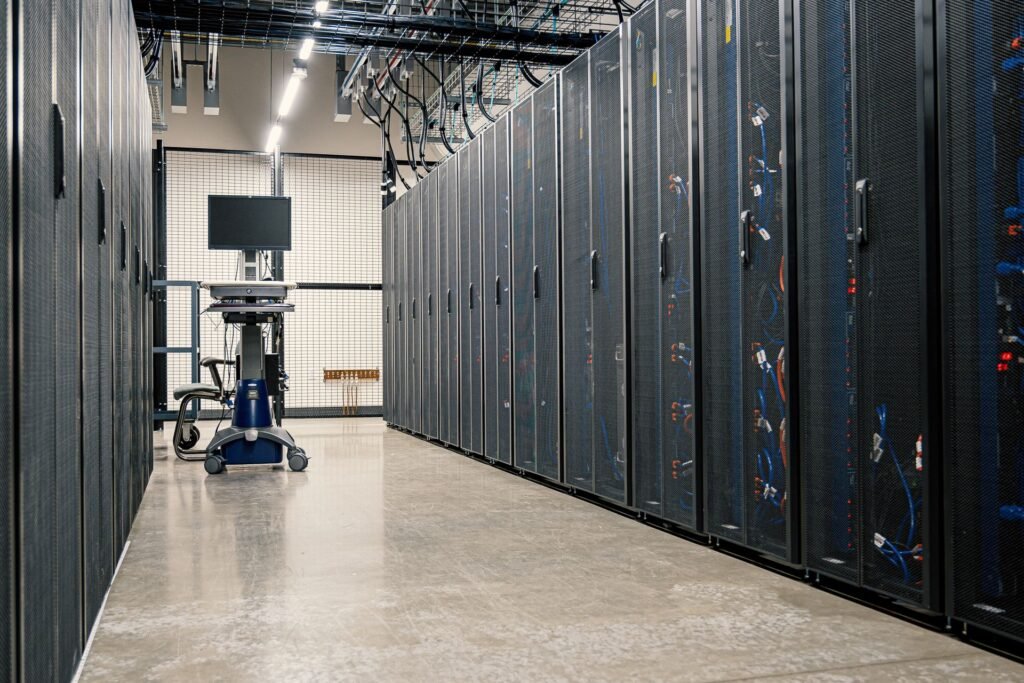
SaaS vendors host the application in their own data center or on a public cloud such as AWS, Azure, or IBM Cloud. Either way, the customer side stays simple: a browser, an internet connection, and a login.
SaaS Software, Platform, Application, Product, Solution, and Service: What Is the Difference?
People use these words almost interchangeably, and vendors encourage it. They do overlap, but each word points at something slightly different:
| Term | What it means | Example |
|---|---|---|
| SaaS software | The general category: any software delivered as a service over the internet | Google Docs, Zoom, Salesforce |
| SaaS platform | The underlying system that hosts applications and lets them connect, extend, or be built on | Salesforce Platform, Microsoft 365, Google Workspace |
| SaaS application | One specific program you open and use to do a job | Gmail, Slack, Dropbox |
| SaaS product | One application sold as a named, packaged offering, with its own pricing and plans | HubSpot CRM, Notion, Canva |
| SaaS solution | A product or bundle positioned as the answer to a business problem | A payroll solution, a help-desk solution |
| SaaS service | The service side of the deal: hosting, support, updates, and uptime, rather than the code itself | The subscription that keeps the app running |
A SaaS platform is the broadest of the set. A platform hosts applications, stores their data, and offers the connections other tools plug into. An application is the single tool you actually use. A product is that tool packaged for sale. A solution is the same tool described by the problem it solves.
So “SaaS software” is the umbrella term for all of it, “SaaS platform” describes the system underneath, and “SaaS application” describes the tool in your hands. When someone says “SaaS platform examples,” they usually mean the big systems such as Salesforce, Microsoft 365, and Google Workspace. When they say “SaaS application examples,” they usually mean single tools such as Gmail, Slack, and Zoom.
SaaS Platforms and Applications: Examples
The easiest way to understand SaaS software is to look at what people already use. Common SaaS products fall into a few clear groups:
- Communication and collaboration: Slack, Zoom, Microsoft Teams, Google Workspace.
- Customer relationship management (CRM): Salesforce, HubSpot.
- Office productivity: Google Docs, Microsoft 365, Notion.
- File storage and sharing: Dropbox, Google Drive, Box.
- Support and sales: Zendesk, Intercom.
- Finance and HR: QuickBooks Online, Workday, Paychex.
- Design and creative work: Canva, Adobe Creative Cloud, Figma.
A few names answer specific questions people ask. Salesforce is SaaS: its CRM runs in the browser on a subscription, and Salesforce itself describes its model that way. Microsoft 365 is SaaS: Word, Excel, and Outlook delivered as a subscription service rather than a one-off install. Google Workspace is SaaS too: Gmail, Docs, Drive, and Calendar as one subscription. Our guide to whether Salesforce, Microsoft 365, and Google Workspace are SaaS goes through each one in detail.
Our guide to SaaS examples covers 25 products you already use, grouped by what they are for.

SaaS vs PaaS vs IaaS
SaaS is one of three cloud service models. The difference is how much the provider manages and how much stays with you:
| SaaS | PaaS | IaaS | |
|---|---|---|---|
| What you get | A finished application | A platform to build and run your own applications | Raw infrastructure: servers, storage, networking |
| Who manages the application | The provider | You | You |
| Who manages the platform and operating system | The provider | The provider | You |
| Who manages the hardware | The provider | The provider | The provider |
| Best for | Using software | Building software | Running your own systems in the cloud |
| Examples | Salesforce, Gmail, Slack | Heroku, Google App Engine | AWS EC2, Microsoft Azure Virtual Machines |
The diagram below shows the same split as a stack. Teal layers are yours to manage; grey layers belong to the provider.

SaaS is the top layer of cloud computing, closest to the end user, and the provider manages the most. PaaS hands developers a managed platform and leaves the application to them. IaaS rents out infrastructure and leaves almost everything else to the customer. A business can use all three at once: SaaS for email and CRM, PaaS for a custom app, and IaaS for the servers that app runs on.
Types of SaaS Software
SaaS software comes in several shapes. The main split is by audience:
- Horizontal SaaS serves many industries with one general tool, such as Slack or Dropbox. Vertical SaaS is built for one industry, such as a clinic’s patient-records system or a law firm’s case-management tool. IBM notes that vertical SaaS is growing because it solves niche problems out of the box, and that micro-SaaS, tiny tools built by small teams for one narrow job, is growing alongside it.
- B2B SaaS sells to businesses; B2C SaaS sells to individual consumers. The same product can be both: Dropbox sells a personal plan and a business plan. Our guide to B2B vs B2C SaaS compares the two markets, and our guide to what B2B SaaS is explains the business side in depth.
- Enterprise SaaS is built for large organisations: more users, stricter security, custom contracts, and dedicated support. Our guide to what enterprise SaaS is covers how it differs from the standard plans.
- Self-service SaaS lets customers sign up and start alone, with no sales call. This is the model behind most small-business tools: sign up, pay by card, use it.
How you buy also varies. Some SaaS software is sold per user, some per feature tier, and some by how much you use. The next section covers pricing in detail.
How SaaS Pricing Works
SaaS pricing is access-based: you pay a recurring fee for the right to use the software, instead of a one-off payment for a perpetual licence. IBM describes five common models:
- Flat-rate pricing. One plan, one price, all features. Simple and predictable, but it can feel expensive if you only need part of the product.
- Per-user pricing. You pay for each seat. Costs rise in a straight line as your team grows, which makes budgeting easy but can discourage adding users.
- Tiered pricing. Several plans at different prices, each unlocking more features, users, or capacity. Most SaaS products work this way, and paying annually usually costs less than paying month to month.
- Usage-based pricing. You pay for what you consume, such as the number of emails sent or gigabytes stored. The bill follows your usage, so it can be hard to predict.
- Freemium. A free version with limited features, forever, with paid plans for the full product. Many products also offer a free trial, typically a week or a month, with full features.
Prices vary widely by product and plan, so treat any number as a range, not a quote. As an illustration, IBM describes a typical tiered email-marketing plan at about $250 a month for a standard tier, $500 for a pro tier, and $600 for a business tier, with the price rising with the number of contacts. Small tools often start at a few dollars per user per month; large enterprise plans are negotiated and can run into thousands. Figures checked 23 Nov 2026.
Who Uses SaaS Software?
Almost everyone, often without realising it. Individuals use SaaS for email, storage, streaming, and documents. Small businesses use it for accounting, scheduling, and customer support. Large companies run core systems on it, from HR to enterprise resource planning.
The scale is large. IBM, citing BetterCloud’s State of SaaS report, notes that large enterprises with more than 5,000 employees used an average of 131 SaaS applications in 2024. That many tools create their own problem: teams lose track of what they pay for and who can access what, a pattern IBM calls SaaS sprawl.
The companies behind these products are SaaS companies: businesses whose main product is software delivered as a service. Our guide to what a SaaS company is explains how that business works, from subscriptions to churn.
Working with SaaS software has also become a career skill. Employers ask for experience with specific tools, and training and certifications exist for the major platforms. Our guide to SaaS experience and certifications covers what is worth learning and what employers actually ask for.

The Downsides of SaaS
SaaS is convenient, but the trade is real, and it is worth knowing before you commit to a tool:
- You do not own the software. If the provider raises prices, changes features, or shuts down, you have to adapt or move. Moving is hard because your data lives in their system. IBM calls this vendor lock-in.
- Your data sits with someone else. You hand the provider your files, your customer records, and your messages. That means trusting their security and their handling of your data.
- It needs the internet. No connection, no application. Offline access is limited or absent in most SaaS tools.
- Costs creep up. A few dollars per user per month looks small until you multiply it by a team, by a year, and by a dozen tools. Unused seats and forgotten subscriptions are the usual leaks.
- Shadow IT. When anyone can sign up for a tool with a company card, the IT team loses track of what is in use. IBM warns that software used without IT approval can carry security risks, since nobody has checked it.
- Less control and customisation. You get the features the provider ships. Deep customisation is usually limited, and integrations depend on the provider’s API.
None of this makes SaaS a bad choice. It makes choosing carefully worth the effort. Our guide to the benefits and drawbacks of SaaS weighs both sides in full, including the benefits this hub only touches on: fast setup, automatic updates, and access from anywhere.

How to Choose a SaaS Product
A short checklist covers most of the decision:
- Start with the job, not the tool. Write down what the software must do, and who will use it.
- Check the pricing model. Per-user pricing punishes growth; flat-rate pricing punishes small teams. Work out the cost for your actual team size.
- Check integrations. The tool should connect to the software you already use, through built-in integrations or an API.
- Check security and access controls. Look for single sign-on, two-factor authentication, and clear rules on who can see what. The US Cybersecurity and Infrastructure Security Agency takes this seriously enough to have issued Binding Operational Directive 25-01 in December 2024, requiring federal civilian agencies to apply its secure configuration baselines to widely used SaaS products such as Microsoft 365 and Google Workspace.
- Read the service level agreement. It states the uptime the provider promises and what happens when it fails.
- Plan your exit. Check how you export your data, and in what format, before you import anything.
SaaS providers and vendors range from one-person micro-SaaS tools to global platforms. The size of the vendor matters less than the answers to the six points above.

Watch: SaaS Software Explained
1. “What is SaaS? Software as a Service Explained” – Eye on Tech (TechTarget)
A short explainer on what SaaS is, how it works, and why a business may or may not want to use it. The channel is TechTarget’s editorial video channel, with no affiliate links.
2. “Software as a Service (SaaS) Explained in 5 mins” – IBM Technology
Jason Goode from IBM Cloud explains how SaaS differs from the other cloud models, with common examples and the key benefits, in about five minutes.
Frequently Asked Questions
What is SaaS software?
SaaS software is software delivered over the internet on a subscription, hosted and maintained by the provider. You open it in a browser or an app instead of installing it on your own computer.
What is a SaaS platform?
A SaaS platform is the system underneath SaaS applications: it hosts the apps, stores their data, and provides the connections other tools plug into. Salesforce, Microsoft 365, and Google Workspace are platforms; Gmail and Slack are applications that run on them.
What is the difference between SaaS software and a SaaS application?
SaaS software is the whole category. A SaaS application is one specific program inside it, such as Gmail or Zoom. Every SaaS application is SaaS software, but SaaS software also covers platforms, products, and services.
What are examples of SaaS products?
Common examples include Google Workspace, Microsoft 365, Salesforce, Slack, Zoom, Dropbox, HubSpot, Zendesk, and Canva. Our SaaS examples guide lists 25 of them by category.
Is SaaS the same as cloud computing?
No. Cloud computing is the broader idea: on-demand computing resources over the internet. SaaS is one type of cloud service, alongside platform as a service (PaaS) and infrastructure as a service (IaaS). All SaaS is cloud computing, but not all cloud computing is SaaS.
How much does SaaS software cost?
It varies by product and plan. Small tools often start at a few dollars per user per month, while business and enterprise plans cost much more. Treat any price as a range, not a quote.
Is Netflix a SaaS product?
Not in the usual sense. Netflix is a subscription streaming service, and it runs on cloud infrastructure, but people buy it for content, not for software that does a job. The SaaS label fits tools such as Salesforce or Google Workspace better than media services.
What is the main disadvantage of SaaS?
The main disadvantage is loss of control: you do not own the software or the servers it runs on, and your data lives with the provider. That brings vendor lock-in, dependence on an internet connection, and costs that grow with every user and every tool.
The Bottom Line
SaaS software is software you rent and use over the internet. The provider hosts it, updates it, and keeps it running; you sign in and get to work. The words around it are simple once separated: software is the category, a platform is the system underneath, an application is the tool you open, and a product is that tool packaged for sale. Pick the tool that fits the job, check its pricing, integrations, and security, and keep an eye on how many subscriptions you are paying for.
Sources
11
- US National Institute of Standards and Technology, Computer Security Resource Center, “Software as a Service (SaaS)” glossary, source: NIST SP 800-145, The NIST Definition of Cloud Computing (September 2011) – https://csrc.nist.gov/glossary/term/software_as_a_service
- IBM, “What Is Software as a Service (SaaS)?” – https://www.ibm.com/think/topics/saas
- Microsoft Azure, “What is Software as a Service (SaaS)?” – https://azure.microsoft.com/en-ca/resources/cloud-computing-dictionary/what-is-saas
- Red Hat, “What is SaaS?” (25 March 2022) – https://www.redhat.com/en/topics/cloud-computing/what-is-saas
- SAP, “What is Software as a Service (SaaS)?” – https://www.sap.com/australia/resources/what-is-saas
- Coursera, “What Is Software as a Service? Definition and Examples” – https://www.coursera.org/articles/software-as-a-service
- Investopedia, “Software as a Service (SaaS)” – https://www.investopedia.com/terms/s/software-as-a-service-saas.asp
- NetSuite, “What is SaaS (Software-as-a-Service)? Advantages, Challenges, and FAQs” – https://www.netsuite.com/portal/resource/articles/erp/software-as-a-service-saas.shtml
- US Cybersecurity and Infrastructure Security Agency, “BOD 25-01: Implementing Secure Practices for Cloud Services” (17 December 2024) – https://www.cisa.gov/news-events/directives/bod-25-01-implementing-secure-practices-cloud-services
- TechTarget, “An explanation of software-as-a-service (SaaS)” – https://www.techtarget.com/news/An-explanation-of-software-as-a-service-SaaS/872258/
- Wikipedia, “Software as a service” – https://en.wikipedia.org/wiki/Software_as_a_service
Checked 23 Nov 2026. Every factual claim on this page was verified against a named source above. Pricing figures are typical ranges and an illustrative example from IBM, not quotes for any single provider.