
By Tech Success Communications Editorial Team | Checked 23 Nov 2026

SaaS stands for Software as a Service. It is software you use over the internet, usually for a monthly or annual subscription, instead of software you buy once and install on your own computer.
When you open Gmail, join a Zoom call or edit a document in Google Docs, you are using SaaS. The application runs on the provider’s computers, and you reach it through a browser or an app. You never install it, update it or back it up yourself.
SaaS Meaning and Definition
The Oxford Learner’s Dictionary defines SaaS as “the system of accessing software online instead of installing it on individual computers”. Merriam-Webster puts it in similar terms: a subscription service that provides the management and maintenance of both software and data in the cloud, accessed over the internet, typically through a web browser.
The formal definition comes from the US National Institute of Standards and Technology (NIST). In Special Publication 800-145, NIST defines Software as a Service as “the capability provided to the consumer to use the provider’s applications running on a cloud infrastructure”, accessible “through either a thin client interface, such as a web browser (e.g., web-based email), or a program interface”. The consumer, NIST adds, “does not manage or control the underlying cloud infrastructure including network, servers, operating systems, storage, or even individual application capabilities”.
Three ideas sit inside every definition of SaaS:
- The software is hosted elsewhere. The provider runs the application on its own servers or on rented cloud infrastructure.
- You access it over the internet. A browser or a mobile app is usually all you need.
- You pay for access, not ownership. The usual deal is a subscription, monthly or annual, rather than a one-off purchase.
SaaS is also the name for the letters themselves: S for software, a-a-S for as a service. Our guide to what SaaS stands for covers the acronym in full.
The words around SaaS get used loosely. Software, platform and application are not the same thing, and the differences matter when you compare products. Our guide to SaaS software, platforms and applications explains each term and how they fit together.
How Does SaaS Work?
Using a SaaS application takes four steps, and the provider handles most of them.
- You sign up. You create an account and pick a plan, often starting with a free tier or a trial.
- You log in. You open the application in a browser or a mobile app. There is nothing to install.
- The provider runs everything behind it. Its servers store your data, run the software and keep it updated.
- You pay a subscription. The fee, usually monthly or annual, covers the software, the hosting, the updates and the support.
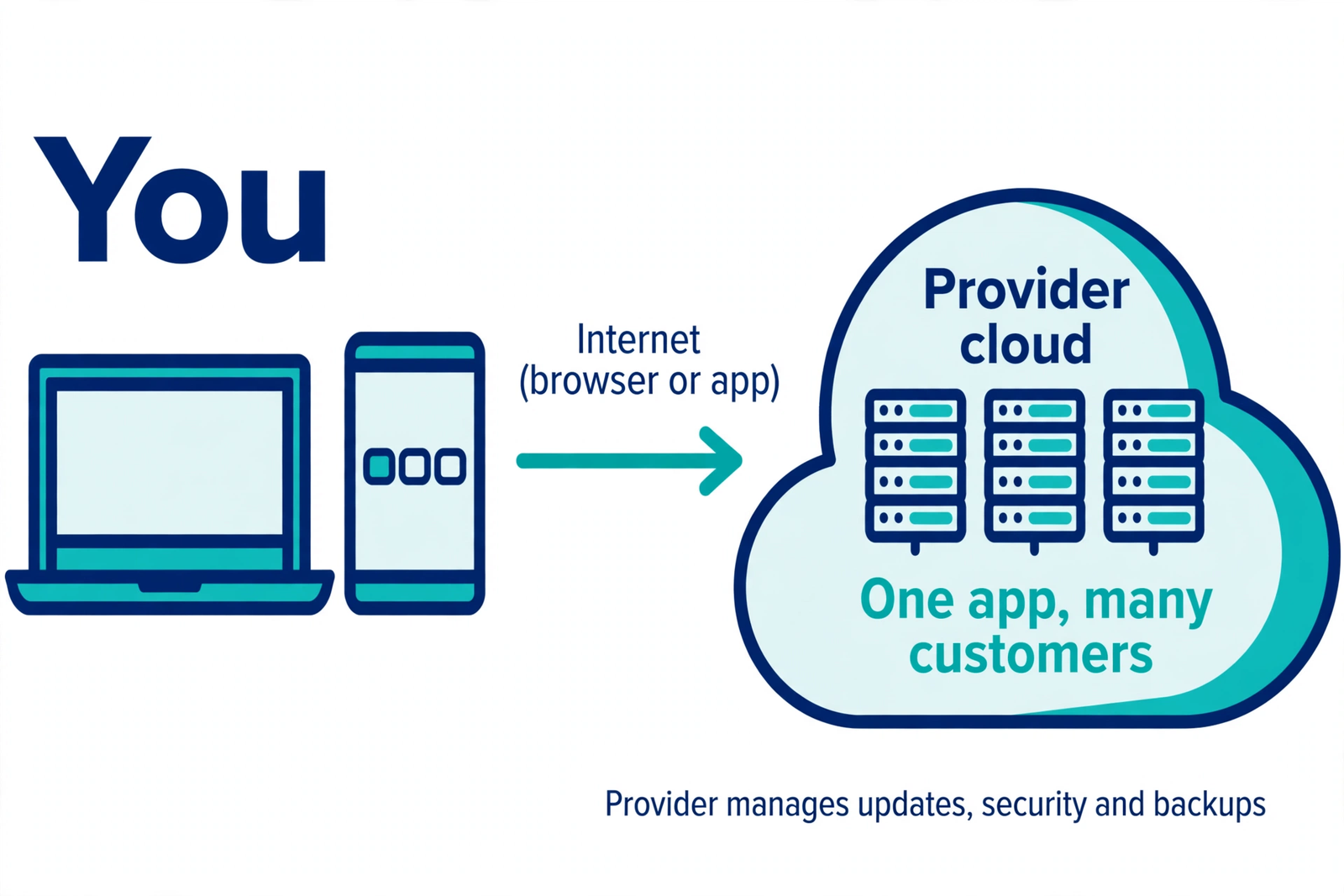
Behind the scenes, most SaaS products share one design: multi-tenancy. Microsoft describes it plainly. SaaS providers use multitenant architecture, meaning a single instance of the software serves multiple customers. Your data stays separate from other customers’ data, but everyone runs the same version of the same application. That is why a fix or a new feature reaches every customer at once, and why the provider can spread the cost of servers and maintenance across thousands of accounts.
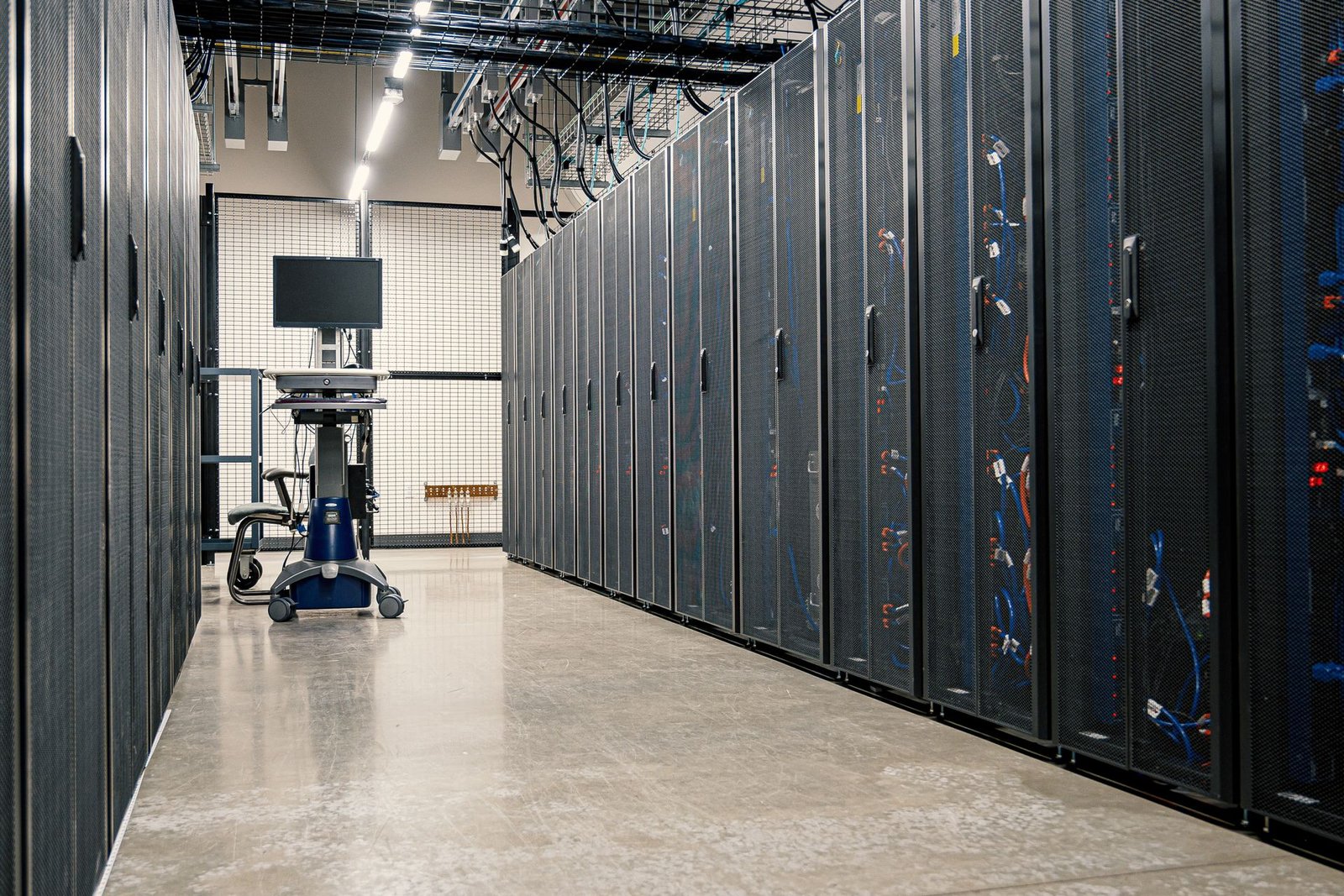
Providers can run that infrastructure in their own data centres or rent it from a public cloud company such as AWS, Azure or IBM Cloud. Either way, the arrangement is the same for you: the computers live somewhere else, and your job is only to log in and use the software.
SaaS vs Traditional Software
The old way of buying software was a one-off purchase: a licence, a disc or a download, installed on your own machine. SaaS replaces that with a service. Salesforce draws the comparison like this:
| Traditional software | SaaS | |
|---|---|---|
| Pricing | One-time purchase | Subscription, usually monthly or annual |
| Updates | An additional purchase | Included in the subscription |
| Security | You manage all security measures | The provider handles the infrastructure; you protect your login |
| Data backups | You perform all data backups | Included in the subscription |
| People needed | An IT manager or department | None, for a web-based app |
| Hardware and storage | The program and files live on your computer | None, for a web-based app |
The trade is simple. Traditional software gives you control and a single bill. SaaS gives you convenience and a smaller bill up front, in exchange for an ongoing payment and less control over the software itself.
SaaS vs PaaS vs IaaS
SaaS is one of three main cloud service models. The other two hand you more of the stack to manage yourself.
- SaaS gives you a finished application. You use it. The provider manages everything underneath, including the servers, the platform and the software.
- PaaS (Platform as a Service) gives developers a platform to build, deploy and manage their own applications, without managing the infrastructure underneath.
- IaaS (Infrastructure as a Service) rents you virtual computing resources, such as servers, storage and networking. You manage the operating systems and the applications yourself.
A simple way to remember it: with IaaS you rent the kitchen, with PaaS you get a kitchen with the tools laid out, and with SaaS the meal arrives ready to eat. Our full comparison, SaaS vs PaaS vs IaaS, explains each model and when to pick it.
SaaS is also one part of a bigger idea. Cloud computing covers all three models, and SaaS is the one most people meet first. See what is SaaS in cloud computing for how the pieces fit together.
Examples of SaaS You Already Use
Most people use several SaaS products every day without thinking of them as SaaS. Common examples include:
- Email and documents: Gmail, Google Docs, Microsoft 365
- Communication: Slack, Zoom, Microsoft Teams
- Storage: Dropbox, Google Drive
- Entertainment: Netflix, Spotify
- Business software: Salesforce for customer relationships, Shopify for online stores
What makes them all SaaS is the same pattern: no installation, access through a browser or an app, and a subscription or a free tier. For a longer list with 25 products, see our SaaS examples guide.
Benefits of SaaS
SaaS became the default way to deliver software because the advantages are practical.
Lower cost up front. AWS notes that the subscription model reduces the upfront costs of traditional software, such as licences, installation and infrastructure management. There is no server to buy and no licence fee to pay before you start.
Access from anywhere. You can open your SaaS apps from any device with an internet connection. That matters more now that hybrid and home working are normal. Your files and settings follow you from laptop to phone.
Automatic updates. Software vendors push updates and security patches themselves, and the updates can deploy automatically without IT support. Everyone runs the latest version, so there is no “which version are you on?” problem.
Fast to start. SaaS removes the installation and setup that came with on-premises software, so a business can roll out a new tool as soon as the subscription begins. A free tier or trial lets a team test a product before paying.
Easy to scale. Adding users or storage usually means changing the plan, not buying hardware. AWS points out that you can scale your use of software up or down as your business needs change.
Less IT work. The provider handles the servers, the backups and the maintenance. SAP lists reduced IT management among the main advantages: with the provider running the infrastructure and the software, a business needs fewer in-house IT resources.

Drawbacks and Risks of SaaS
SaaS is not free of downsides, and a fair guide should name them.
You need the internet. A SaaS application lives online. A slow connection or an outage makes the software slow or unusable. This is the most basic limit of the model.
Costs add up. A small monthly fee looks cheap, but subscriptions stack. SAP warns that businesses need to manage subscription costs carefully, especially as they scale or add features. A modest monthly fee per user can become a large annual bill across a whole team.
Vendor lock-in. Moving from one SaaS provider to another can be hard, especially if the application uses proprietary formats or stores your data in ways that are awkward to export. SAP advises having a plan for data migration before you commit.
Less control. The provider decides when features change, what the interface looks like and when old features disappear. An update you did not ask for can change how your team works overnight.
Your data lives on someone else’s servers. Storing data off-site brings security and compliance questions. You need to trust the provider’s practices and check that its handling of data fits the rules your industry follows.
Downtime is out of your hands. If the provider has an outage, every customer is affected at once. AWS notes that many vendors promise 99% or even 99.9% uptime, but a promise in a service level agreement is still a promise, not a guarantee you control.
How Much Does SaaS Cost?
SaaS pricing is usually a subscription, charged monthly or annually, often per user. Many products also offer a free tier with limited features, and the most common revenue models are freemium, subscription and usage-based fees.
Prices vary so widely between products that a single number would mislead. Some products charge per user, some charge by how much you use, and many offer a free tier with limited features. The honest way to compare is per user, per month, on the same billing term, with the features you actually need included. Our guide to SaaS pricing models explains the common models and how to compare them.
Is SaaS Secure?
SaaS security is shared. The provider secures the infrastructure, and you secure how you use the app.
AWS calls this the shared responsibility model: AWS is responsible for security of the cloud, meaning the infrastructure that runs its services, while the customer is responsible for security in the cloud, meaning its data, its access settings and its own configuration. The same split applies to SaaS generally. The provider patches the servers and guards the data centre. You choose strong passwords, turn on two-factor authentication, control who can see what, and decide what data goes into the app.
That split is also why a provider’s reputation matters. A breach at a SaaS company can expose many customers at once, so check the provider’s security record, its compliance certificates and its data handling terms before you move sensitive work into it. Our guide to SaaS security covers what to check in detail.
A Short History of SaaS
SaaS did not appear overnight. It grew out of the Application Service Provider (ASP) model of the late 1990s, when companies first began renting access to software hosted on remote servers instead of installing it themselves.
Salesforce, founded in 1999, was one of the first major SaaS applications. It offered a fully web-based customer relationship system at a time when business software still came on discs, and its founders’ mission was to “end software” as a product you install. Wikipedia notes that use of SaaS began around 2000, and by 2023 it had become the main form of software application deployment.
The model then spread from business software to almost everything: email, documents, storage, video calls, music and films. Today, when a new software product launches, it is usually SaaS first.
How to Choose a SaaS Product
SAP’s advice for picking a SaaS product comes down to five checks.
- Define your needs first. Know the features, the performance and the results you need before you compare products.
- Evaluate providers. Compare reliability, customer support and security practices, not just the feature list.
- Check integration. Make sure the product connects to the tools you already use, through built-in integrations or an API.
- Review the real cost. Look at the subscription price plus any extra charges for features or usage beyond the base plan.
- Plan your exit. Before you sign up, check how you would export your data if you ever left.

A free trial is the best test of all five. Use it with real work, not a demo, and watch for the limits that only appear once a whole team is using the product.
Going Deeper: SaaS for Business
This page explains the idea. The rest of the SaaS Basics cluster goes deeper into each part of it.
- The business behind it. How SaaS companies make money, from subscriptions to usage-based pricing, is in the SaaS business model explained.
- Getting customers. How SaaS companies find and keep users is covered in our SaaS marketing strategy guide.
- Getting found. Search is a major channel for SaaS products; see SaaS SEO for the strategy.
- Selling it. The sales motion for subscription software, from trials to renewals, is in what is SaaS sales.
- Building it. How SaaS applications are designed and developed is in our SaaS application development guide.
- Tools for small business. The best options for smaller teams are in best SaaS tools for small business.
- Where the market is heading. Numbers and trends are in SaaS industry trends and statistics.

Watch: What Is SaaS?
1. “What is SaaS? Software as a Service Explained” – Eye on Tech (TechTarget)
A short explainer from TechTarget’s Eye on Tech channel: what SaaS is, how it works, and why a business may or may not want to use it. Presented by Sabrina Polin. Published 27 March 2025.
2. “Software as a Service (SaaS) Explained in 5 mins” – IBM Cloud
Jason Goode from IBM Cloud explains how SaaS differs from the other cloud models, common examples for consumers and businesses, multi-tenant architecture and cost structure. About 5 minutes.
Frequently Asked Questions
What is SaaS in simple terms?
SaaS is software you rent instead of buy. You open it in a browser or an app, the provider runs it on its own computers, and you pay a subscription to use it.
Is SaaS the same as cloud computing?
No. Cloud computing is the broad idea of delivering computing services over the internet, and it includes three models: SaaS, PaaS and IaaS. SaaS is one of those three: the finished-application layer of the cloud.
Is Gmail a SaaS product?
Yes. Gmail runs on Google’s servers and you use it through a browser or an app, with nothing to install. The same is true of Google Workspace and Microsoft 365. See whether Salesforce, Microsoft 365 or Google Workspace count as SaaS for the business versions.
What is the difference between SaaS and PaaS?
SaaS gives you a finished application to use. PaaS gives developers a platform to build and run their own applications. With SaaS the provider manages the software too; with PaaS you manage your own applications and data.
Do I need the internet to use SaaS?
Almost always, yes. SaaS applications run on the provider’s servers, so you need a connection to reach them. A few apps offer limited offline use, but the full product needs the internet.
Is my data safe in a SaaS app?
It depends on the provider and on you. The provider secures its infrastructure, while you control passwords, access and what data you put in. Check the provider’s security practices and compliance certificates before moving sensitive data into any SaaS product.
What happens to my data if I cancel a SaaS subscription?
That depends on the provider’s terms. Most providers let you export your data, and many delete it after a grace period. Export everything you need before you cancel, and check the terms first.
Is SaaS cheaper than buying software?
Up front, usually yes: there is no licence fee or server to buy. Over years, the subscription can cost more than a one-off purchase would have. The right comparison is total cost over the time you expect to use it, not the first month’s bill.
The Bottom Line
SaaS is software you use, not software you own. The provider hosts it, updates it and backs it up; you log in and get on with your work. That trade, convenience for an ongoing fee and less control, is why it became the default for almost everything from email to business software. If you remember one thing, remember the pattern: no installation, access anywhere, pay as you go.
Sources
12
- US National Institute of Standards and Technology, Special Publication 800-145, “The NIST Definition of Cloud Computing” (September 2011) – https://doi.org/10.6028/NIST.SP.800-145
- Oxford Learner’s Dictionaries, “SaaS” – https://www.oxfordlearnersdictionaries.com/definition/english/saas
- Merriam-Webster, “Software as a Service” – https://www.merriam-webster.com/dictionary/software%20as%20a%20service
- Microsoft Azure, “What is Software as a Service (SaaS)?” – https://azure.microsoft.com/en-ca/resources/cloud-computing-dictionary/what-is-saas
- Amazon Web Services, “What is SaaS? – Software as a Service Explained” – https://aws.amazon.com/what-is/saas/
- Amazon Web Services, “Shared Responsibility Model” – https://aws.amazon.com/compliance/shared-responsibility-model/
- Salesforce, “What is SaaS (Software as a Service)?” – https://www.salesforce.com/saas/
- SAP, “What is Software as a Service (SaaS)?” – https://www.sap.com/australia/resources/what-is-saas
- Red Hat, “What is SaaS?” – https://www.redhat.com/en/topics/cloud-computing/what-is-saas
- IBM Cloud, “Software as a Service (SaaS) Explained in 5 mins” (YouTube) – https://www.youtube.com/watch?v=20QUNgFIrK0
- TechTarget, “An explanation of software-as-a-service (SaaS)” (Eye on Tech, YouTube) – https://www.youtube.com/watch?v=pLsdKM57CP8
- Wikipedia, “Software as a service” – https://en.wikipedia.org/wiki/Software_as_a_service
Checked 23 Nov 2026. Every factual claim on this page was verified against a named source above. Pricing is described as typical ranges, not quotes for any single provider.