


The best VPN for every device is Surfshark if you want unlimited connections, or NordVPN if you want the fastest speeds on up to 10 devices at once. Both cover Windows, macOS, iOS, Android, smart TVs, and routers, so one subscription protects the whole household.

Most people no longer use a single device. A typical household has a laptop, a phone, a tablet, a smart TV, and often a work computer or a games console. A VPN subscription that covers one device at a time does not fit that reality. This guide compares the best VPN for multiple devices by the number that matters most: how many devices you can connect at the same time, on one subscription, without paying extra. If you are new to VPNs, What Is a VPN? explains the basics before you compare plans.
Best VPN for multiple devices compared
| VPN | Simultaneous connections | Apps | Long-term price | Best for |
|---|---|---|---|---|
| Surfshark | Unlimited | Windows, macOS, iOS, Android, Linux, Apple TV, Fire TV | Around $2–$2.50/month | Families and large households |
| NordVPN | 10 | Windows, macOS, iOS, Android, Linux, Android TV, tvOS, Firestick | Around $3.50/month | Fastest speeds on many devices |
| Proton VPN | 10 (Plus), 1 (free) | Windows, macOS, iOS, Android, Linux, Chromebook | Around $2.50–$3/month | Privacy across devices |
| ExpressVPN | 10–14 | Windows, macOS, iOS, Android, Linux, smart TVs, routers | Around $3/month | Easiest to use |
| Private Internet Access | Unlimited | Windows, macOS, iOS, Android, Linux, Android TV, Apple TV | Around $2/month | Budget unlimited |
| CyberGhost | 7 | Windows, macOS, iOS, Android, Linux, smart TVs | Around $2–$2.20/month | Simple setup |
| Windscribe | Unlimited (free and paid) | Windows, macOS, iOS, Android, Linux, Fire TV | Free / around $5.75/month | Free multi-device use |
| hide.me | 10 | Windows, macOS, iOS, Android, Linux, Android TV, Apple TV, Fire TV | Around $2.50/month | Privacy with 10 devices |
Prices are introductory rates on one- or two-year plans, checked on 23 Nov 2026. They rise on renewal, so check the renewal price before you commit. All eight services include a 30-day money-back guarantee on website purchases.
How many devices do you actually need?
Count the devices that will use the VPN at the same time, not the devices you own. A laptop that is off does not use a connection. A phone, a laptop, and a TV streaming at once use three. A family of four with two devices each needs eight simultaneous connections, which rules out any VPN with a five-device limit but fits NordVPN’s 10 or any unlimited plan.
There is also a difference between installed devices and simultaneous connections. Security.org points out that NordVPN’s 10-device limit counts simultaneous connections, not installations: you can install the app on every device you own and sign in everywhere, you just cannot actively use more than 10 at once. The same applies to most providers. The number in the table above is the simultaneous limit, which is the number that decides whether a plan fits your household.
If you run out of connections, the fix is not a second subscription. Install the VPN on your home router and every device on your Wi-Fi goes through one connection. The router section below explains how that works and what it costs in setup effort.
Surfshark: best VPN for unlimited devices
Surfshark is the best VPN for multiple devices if you want to stop counting. Every plan allows unlimited simultaneous connections, so one subscription covers every phone, laptop, tablet, TV, and console in the house, and you can share it with family without worrying about who is connected.
The apps are consistent across platforms, with a kill switch, CleanWeb ad and tracker blocking, and MultiHop double VPN on the main apps. Speeds hold up when several devices stream at once: Comparitech measured an average of 212.73 Mbps on a 250 Mbps connection, just behind NordVPN. Gizmodo measured a 9.6% average speed loss. The one weakness is connection time, which Gizmodo found slower than rivals when switching servers.
Surfshark costs around $2 to $2.50 a month on a two-year plan, depending on the source and the current offer, which makes it the cheapest unlimited option in this guide. There is no free plan, but the 30-day money-back guarantee covers website purchases, and there is a 7-day free trial through the Apple App Store.

NordVPN: best overall VPN for multiple devices
NordVPN allows 10 simultaneous connections and pairs that with the fastest speeds in most comparisons. Comparitech measured an average of 214.28 Mbps on a 250 Mbps connection, the fastest of the providers it compared, and Gizmodo measured a 7.8% average speed loss with its NordLynx protocol. That speed matters when several people stream or game at once, because the VPN is rarely the bottleneck.
The app list is the broadest in this guide: Windows, macOS, Linux, Android, iOS, Chrome, Firefox, Edge, Android TV, tvOS, and Firestick, plus manual router setup. Meshnet, NordVPN’s tool for linking your own devices, lets you reach your home computer while travelling by routing through it. The no-logs policy has been independently audited several times, and the company is based in Panama, which does not require VPN companies to keep user records.
NordVPN costs around $3.50 a month on a two-year Basic plan. The price is higher than Surfshark, but the speed and the app range justify it if you have 10 or fewer devices to cover. If you have more than 10 active at once, install it on your router and the limit stops mattering.
Proton VPN: best VPN for privacy across devices
Proton VPN Plus allows 10 simultaneous connections and is the privacy-first choice for multiple devices. The company is based in Switzerland, its apps are open source, and its no-logs policy has been independently audited. Secure Core routes your traffic through servers in countries with strong privacy laws before it reaches its destination, which is useful on public networks and in surveillance-heavy countries.
The free plan is the best free VPN for one device: unlimited data, no ads, one connection, and access to servers in 10 countries. That makes Proton VPN the only provider in this guide where you can try the service properly before paying, on one device, with no time limit. The paid plan adds servers in more than 110 countries, 10 connections, and faster speeds for around $2.50 to $3 a month on a two-year plan.
One limit to know: Proton VPN has no Smart DNS, so a Samsung or LG smart TV without a VPN app needs the VPN on the router instead. If your household leans on smart TVs, that is worth checking before you subscribe.
ExpressVPN: best VPN for ease of use
ExpressVPN allows 10 simultaneous connections on its Basic plan and up to 14 on higher tiers, and it is the easiest VPN in this guide to use on every device. The apps are nearly identical on Windows, macOS, iOS, Android, and Linux, and the Chrome extension can work as a remote control for the desktop app or as a standalone browser proxy.
Speed is a strength: Gizmodo measured a 7.8% average speed loss, tied with NordVPN for the best result in its comparison, and ExpressVPN was the fastest on its Japanese servers. Obfuscation applies to every connection automatically, so networks that block VPNs need no extra setting. The no-logs policy has been independently audited, the servers are RAM-only, and the company is based in the British Virgin Islands.
ExpressVPN costs around $3 a month on a two-year Basic plan. That is not the cheapest, and the renewal price climbs steeply, but the combination of speed, simplicity, and device range makes it the best pick for someone who wants the VPN to disappear into the background.
Private Internet Access: best budget VPN with unlimited devices
Private Internet Access (PIA) allows unlimited simultaneous connections and costs around $2 a month on a three-year plan, which makes it the cheapest unlimited VPN in this guide. Its server network is enormous: more than 34,000 servers in 91 countries according to Security.org, with a server in every US state.
The privacy record is unusual and strong. PIA’s no-logs claim has faced subpoenas in US courts, and the company produced nothing because it stores nothing. The apps are open source, the servers are RAM-only, and the service includes MACE ad blocking and Shadowsocks obfuscation. Gizmodo measured a 12.7% average speed loss, more than NordVPN or Surfshark but still enough for 4K streaming.
The trade-offs are a US jurisdiction, which sits inside the 5 Eyes intelligence-sharing group, and a kill switch that Gizmodo found could leak traffic when a PC restarts. If those two points concern you, NordVPN or Proton VPN are better fits. If price and unlimited devices matter most, PIA is hard to beat.
CyberGhost: best VPN for simple setup on 7 devices
CyberGhost allows 7 simultaneous connections, which covers a phone, a laptop, a tablet, and a TV with room to spare for most individuals and small households. The apps are the simplest in this guide: servers are labelled by the streaming service they are meant for, so you do not have to guess which server unblocks which library.
The service runs more than 9,600 servers in 100 countries, includes Smart DNS for Samsung and LG smart TVs and games consoles, and offers a 45-day money-back guarantee, two weeks longer than the industry standard. Gizmodo measured a 13.3% average speed loss and the best UK ping in its comparison at 39 ms, which suits gaming and video calls on nearby servers.
CyberGhost costs around $2 to $2.20 a month on a two-year plan. The 7-device limit is the tightest among the paid VPNs in this guide, so count your active devices before you subscribe. For a single person or a couple, it is enough. For a family of four, it is not.
Best free VPN for multiple devices
If you do not want to pay, Windscribe is the best free VPN for multiple devices. Its free plan allows unlimited simultaneous connections, which no other free plan in this guide offers. You get 10 GB of data a month once you confirm your email address, or 2 GB without one, and servers in 10 countries. The free plan includes a firewall that works as a kill switch, WireGuard support, and automatic Wi-Fi protection.
The 10 GB cap is the real limit: it covers browsing and email for a month, but not daily video. A full guide to the best free VPNs, including Windscribe’s free plan and four other free options, is in preparation. If you need unlimited data without paying, Proton VPN’s free plan is the alternative, but it covers one device only.
VPN on a router: cover every device at once
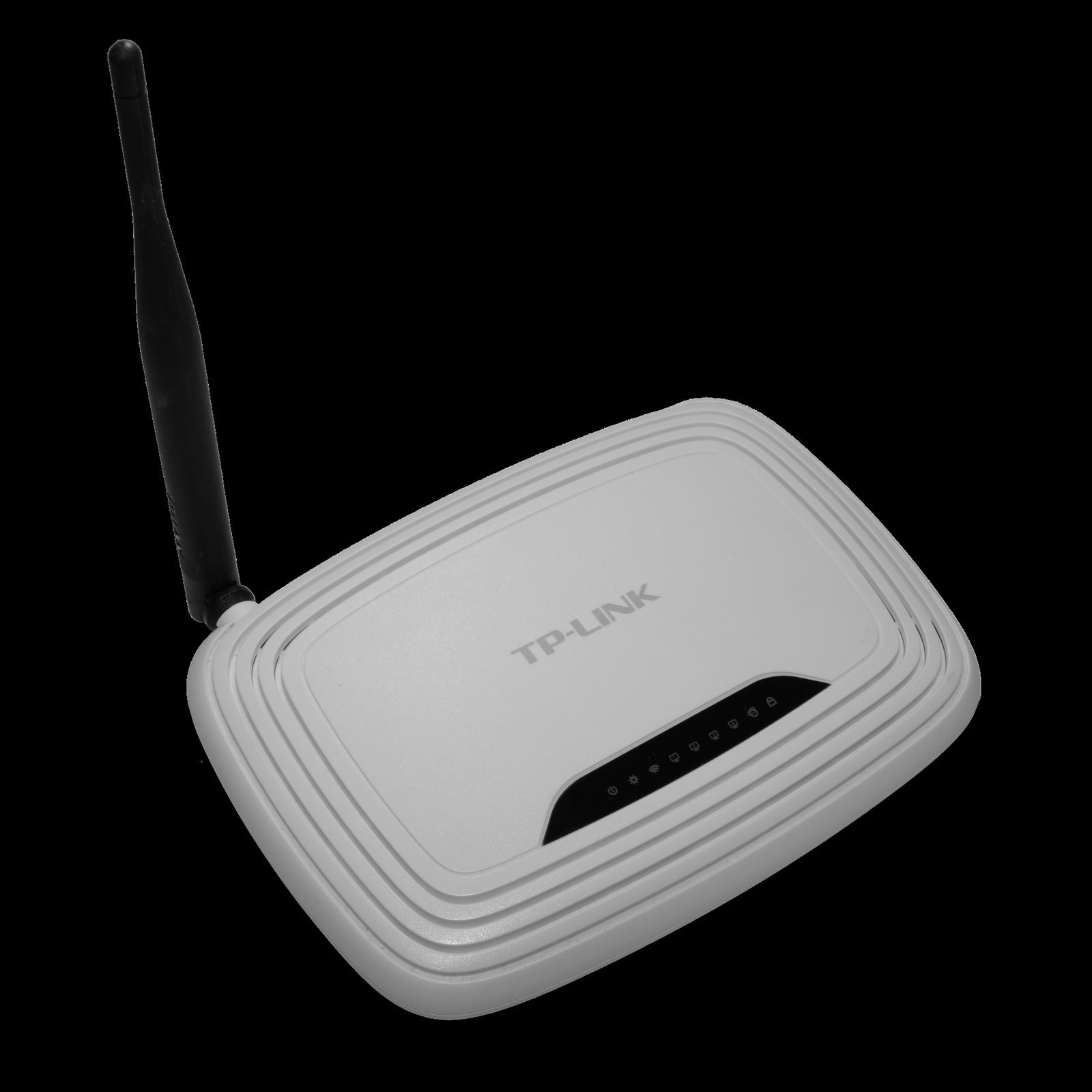
A router VPN protects every device on your home Wi-Fi through a single connection, including devices that cannot run a VPN app: smart TVs, games consoles, streaming sticks, and smart home gadgets. It also bypasses the simultaneous-connection limit entirely, because the router counts as one connection no matter how many devices sit behind it.
The cost is setup effort. Installing a VPN on a router is not a beginner task: it involves logging into the router’s admin page, uploading configuration files, and choosing the right protocol for your router’s firmware. NordVPN, Surfshark, Proton VPN, ExpressVPN, and Private Internet Access all support router setup, and ExpressVPN sells its own custom router firmware for compatible models. If you do not want to do it yourself, you can buy a pre-configured router from a specialist such as FlashRouters with the VPN already installed.
A router VPN has two limits worth knowing. First, every device shares one VPN server location, so you cannot watch US Netflix on the TV while browsing a UK site on your laptop through the same router. Second, if the VPN connection drops and the router has no kill switch, your traffic goes out unprotected. Check both points before you commit to the router route.
The protocol you pick for the router matters for speed and stability. VPN Protocols Compared explains WireGuard, OpenVPN, and IKEv2, and which one suits a router best.
Best VPN by device
The guides below cover each device in detail. The VPN types behind these apps differ by device: Types of VPN & VPN Technologies explains the main types and how they differ. Each device summary below is short; the full guide for that device is in preparation.
Chrome. A Chrome VPN extension protects only your browser traffic, not your whole device, but it is the fastest way to protect browsing on a shared or work computer. NordVPN’s extension works without the desktop app and includes split tunneling and a kill switch. ExpressVPN’s extension can work alone as a browser proxy or as a remote control for the desktop app. The full guide covers the best Chrome VPN extensions, including the free options.
Windows PC. Windows 10 and 11 have a built-in VPN client but no VPN service: you still need a subscription from a provider. Windscribe is the strongest free option for Windows, with a firewall kill switch and WireGuard. NordVPN is the strongest paid option, with the lowest speed loss in Gizmodo’s Windows comparison. The full guide covers the best free VPN for Windows PC, including setup steps for Windows 10 and 11.
iPhone and iPad. iOS has no per-app split tunneling, and the kill switch is always on for NordVPN and ExpressVPN on iPhone. NordVPN lost the least speed in Gizmodo’s iPhone comparison, while ExpressVPN used the least battery. Proton VPN’s free plan is the best free option for one iPhone. The full guide covers the best VPN for iPhone and iPad, including setup through Settings and the Connect On Demand feature.
Router. A router VPN is the only way to protect devices that cannot run apps, and it is the best option for a large household. NordVPN, Surfshark, and Private Internet Access are the strongest choices for router setup, with the widest firmware support. The full guide covers the best VPN for routers, including which routers work and how to set them up.

What to check before you share one subscription
Simultaneous connections, not installations. Check the simultaneous limit, not the number of devices you can install the app on. Most providers let you install everywhere and limit only active connections.
Speed when everyone streams. A VPN slows your connection a little on every device, and the slowdown adds up when four people stream at once. Gizmodo’s speed-loss figures in this guide are a useful comparison: NordVPN and ExpressVPN at 7.8%, Surfshark at 9.6%, Proton VPN at 10.2%, PIA at 12.7%. If your broadband is slow, pick the fastest VPN, not the cheapest.
Kill switch on every device. A kill switch blocks traffic if the VPN drops. Check that it exists on the platforms you use: not every provider offers it on every app, and browser extensions often lack one entirely.
Streaming on each device. A VPN that unblocks Netflix on a laptop may not unblock it on a smart TV app. If streaming matters, check the provider’s device-specific record, not just the headline claim.
Cost per device. Divide the monthly price by the number of devices you will actually connect. A $3.50 plan on 10 devices costs 35 cents per device. An unlimited plan shared by a family of four costs less than a dollar per person. How Much Does a VPN Cost? breaks down the maths and the renewal prices.
Safety on shared devices. A VPN protects traffic, not the device itself. If you share a subscription with family, each person should still use their own accounts and passwords. For the safety basics, read Is a VPN Safe? and What Does a VPN Do? before you hand out the login.

Frequently asked questions
How many devices can I use a VPN on at the same time?
It depends on the provider. Surfshark, Private Internet Access, and Windscribe allow unlimited simultaneous connections. NordVPN and Proton VPN allow 10, ExpressVPN allows 10 to 14, CyberGhost allows 7, and hide.me allows 10. The limit counts active connections, not installations, so you can install the app on more devices than the limit and sign in everywhere.
Can I use one VPN subscription on my phone and laptop?
Yes. Every VPN in this guide has apps for Windows, macOS, iOS, and Android, and one subscription covers all of them. Sign in with the same account on each device and connect. If you run out of simultaneous connections, put the VPN on your router and every device behind it is covered by one connection.
Does a VPN slow down all my devices?
A VPN slows each connection a little because of encryption and the extra distance to the server. The slowdown is small on a fast connection: Gizmodo measured 7.8% to 13.3% for the main providers. It becomes noticeable when many devices stream at once on a slow broadband line, or when you connect to a distant server. Pick a nearby server and a fast protocol such as WireGuard or NordLynx to keep the slowdown low.
What is the best VPN for a family?
Surfshark is the best VPN for a family because it allows unlimited devices on one subscription for around $2 to $2.50 a month. NordVPN is the best alternative if your family has 10 or fewer active devices and you want the fastest speeds. Both have apps for every platform, a kill switch, and ad blocking.
Is there a free VPN for multiple devices?
Yes. Windscribe’s free plan allows unlimited simultaneous connections with 10 GB of data a month. It is the only free plan in this guide with no device limit. Proton VPN’s free plan has unlimited data but covers one device only, so it suits a single phone or laptop rather than a household.
Do I need a VPN on every device?
You need a VPN on every device that handles sensitive traffic on networks you do not trust: public Wi-Fi, hotel networks, and shared connections. A smart TV that only streams video needs it less than a laptop used for banking. A router VPN covers everything at once if you would rather not install apps on each device.
Related guides
- What Is a VPN?
- What Does a VPN Do?
- Is a VPN Safe?
- Types of VPN & VPN Technologies
- VPN Protocols Compared
- How Much Does a VPN Cost?

Sources
10
- Gizmodo, “Best VPN Service in 2026” — https://gizmodo.com/best-vpn/
- Gizmodo, “Best VPN for Chrome” — https://gizmodo.com/best-vpn/Chrome
- Gizmodo, “Best VPN for iPhone” — https://gizmodo.com/best-vpn/iphone
- Gizmodo, “Best VPN for Windows” — https://gizmodo.com/best-vpn/free/windows
- Cloudwards, “Best VPN for Multiple Devices in 2026” — https://www.cloudwards.net/best-vpn-for-multiple-devices/
- Comparitech, “The 9 best multi-device VPNs in 2026” — https://www.comparitech.com/blog/vpn-privacy/best-vpns-for-connecting-multiple-devices-at-the-same-time/
- Security.org, “Best Multi-Device VPNs in 2026” — https://www.Security.org/vpn/best/multi-device/
- Security.org, “Best VPNs for iPads in 2026” — https://www.security.org/vpn/best/ipad/
- TechRepublic, “Best Chrome VPN Extensions” — https://www.techrepublic.com/article/best-chrome-vpn-extensions/
- BleepingComputer, “Best VPN browser extensions for Google Chrome” — https://www.bleepingcomputer.com/vpn/guides/best-vpn-extensions-google-chrome/
Every factual claim on this page was verified against a named source above.